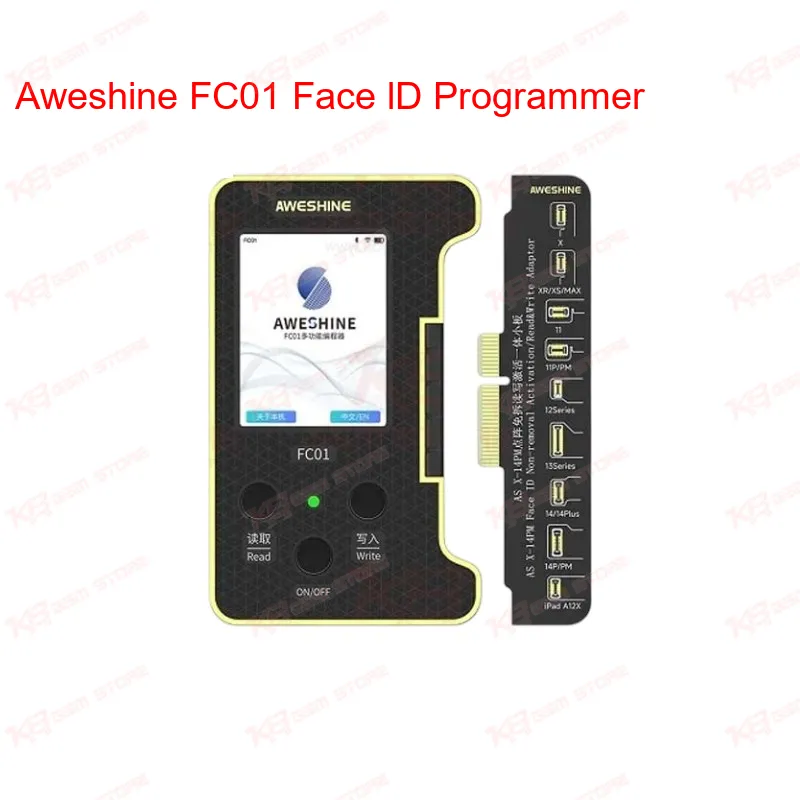
Face ID fault on an iPhone board used to mean either a full flex swap or telling the customer it's not fixable in-house. The Aweshine FC01 changes that workflow. Instead of removing the original dot projector flex and soldering in a donor part, you connect the board to the FC01, let it read the existing data, repair the corrupted block, and write it back — face id repair without touching the flex cable at all. That's a real time saver when you've got three or four boards waiting on the bench and the customer wants same-day pickup. The core function sits around two repair categories: Face ID data repair and battery data read/write. On the Face ID side, the FC01 targets the dot matrix data stored in the projector module, which is what actually breaks after water damage, drop damage, or a bad previous repair — not always the physical flex itself. When that data gets corrupted, the phone throws a Face ID unavailable error even though the hardware is fine. The FC01 reads the block, cleans up the corrupted section, and rewrites it so the module talks to the board properly again. On the battery side, it handles battery data changes so True Tone and battery health reporting stay accurate after a battery swap — something every technician doing iPhone battery replacement in Pakistan runs into when the phone shows "service" or inaccurate health percentage after a non-original battery goes in. Setup is straightforward on the bench. You connect the FC01 to your PC or the standalone unit through USB Type-C, log into the AWESHINE platform, and the software backs your original data up to iCloud before any write operation starts. That backup step matters — if a repair attempt doesn't go as planned, you're not left with a bricked module and an angry customer. The platform also runs an automatic block-detection scan, so instead of manually hunting for which data section is corrupted, the tool flags it and you move straight to the fix. One thing that sets the FC01 apart from older Face ID tools is the online update system. It runs on Bluetooth and Wi-Fi, and Aweshine pushes new device support and bug fixes through OTA updates rather than requiring you to reflash firmware manually. Since Apple changes board-level protection and encryption with every new iPhone generation, a tool without update support goes dead within a year. The FC01 currently covers the full range from iPhone X through iPhone 14 Pro Max, and Aweshine has been extending single-machine support as new models release — check the platform before starting a job on a very recent model to confirm the latest coverage. For daily shop use, the FC01 supports both offline (standalone) and online (cloud-connected) operation. If your shop has unstable internet — common in a lot of local markets — you can still run repairs offline using previously downloaded data profiles, then sync back once connection is available. That flexibility matters more than it sounds on paper; a lot of imported tools assume constant cloud access, which isn't always realistic on a busy repair counter. Where this tool fits in your actual repair workflow: it sits after hardware diagnostics and before reassembly. You'd typically pull the board, confirm through a boot test or continuity check that the Face ID module itself isn't physically dead, then run the FC01 to fix the data layer. It's not a substitute for physical rework — if the flex is torn or the connector pins are damaged, you still need reballing or flex replacement first. But for the very common case of "hardware is fine, Face ID data is corrupted," it removes a step that used to require either advanced micro-soldering or writing the phone off entirely. Multi-language support on the interface means the platform isn't locked to Chinese or English-only menus, which helps technicians who are more comfortable switching display language while training junior staff on the bench. Combined with the cloud backup and auto-detect features, the FC01 is built more for a working repair shop that handles Face ID and battery jobs daily than for a one-off hobbyist repair. For any shop doing regular iPhone hardware work — screen and battery swaps, board-level fault diagnosis, or dedicated iPhone repair services — the FC01 covers a repair category that used to be either outsourced or turned away. It pairs naturally with your existing hot air station and microscope setup for board-level work, and slots into the same workflow as your ISP and eMMC tools when a phone comes in with combined hardware and software faults.