Skip to product information
1 of 4

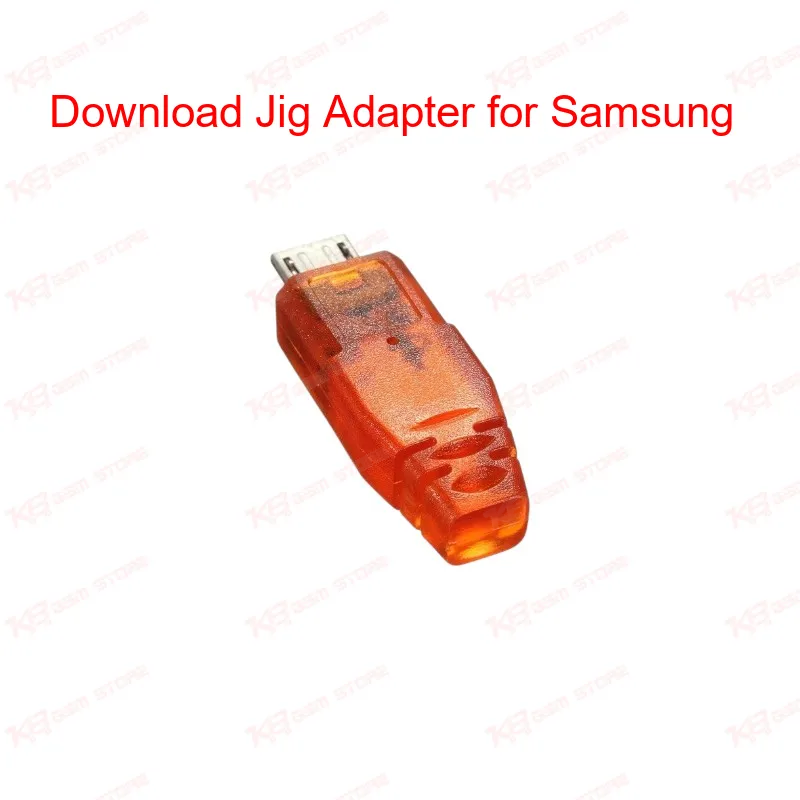
Download Jig Adapter for Samsung

Download Jig Adapter for Samsung

Regular price Rs.1.00 PKR
Regular price Sale price Rs.1.00 PKR
Sale Sold out
Shipping calculated at checkout.
Quantity

The Download Jig Adapter for Samsung gets a bricked Galaxy device back into download mode when the standard 3-button combo fails. Plug it into the micro USB port, wait a couple of seconds, and the yellow download-mode logo appears on screen. Technicians rely on this jig after a failed root attempt, a bad ROM flash, or a dead-after-flash situation where the phone won't boot normally. It works across older Samsung Galaxy S-series models with micro USB ports and gives you a fast, tool-free way to reach download mode before connecting the phone to Odin for reflashing. A must-have addition to any GSM repair bench dealing with Samsung software faults.

SKU:MST-SOLDERING-ACCESSORIES-1

⚖️ Weight: 0.9 kg

  • Safe & Secure Payment
  • Fast Delivery
  • WhatsApp Support
View full details

Description

When a Samsung Galaxy phone goes dead after flash or gets stuck because a ROM install didn't finish properly, the first thing you need on your repair bench is a way back into download mode. That's exactly what the Download Jig Adapter for Samsung does. Instead of fighting with the volume and power button combo on a phone that won't respond, you plug this small micro USB jig directly into the device and let it trigger download mode automatically. The working process is straightforward and something every technician handling Samsung boards will recognize instantly. You power off the phone completely, pull the battery if it's removable, and reinsert it without switching the device on. Then you connect the jig to the phone's micro USB port. Within about two seconds, the yellow download-mode screen shows up. At that point you disconnect the jig, hook the phone to your PC with a normal USB cable, and proceed with flashing through Odin or your preferred flash tool. This tool becomes essential in a specific set of repair scenarios. If a customer brings in a Galaxy S, S2, S3, S4, or one of the international II/SII/SIII/SIV variants with a boot loop issue or a phone that hangs on logo after a failed custom ROM attempt, the jig usually solves the access problem in seconds. It's also useful when the volume-up, volume-down, and power button combination physically doesn't register due to a worn button or software fault, since the jig bypasses that combo entirely and forces the bootloader to switch modes. One point worth being clear about upfront: this jig cannot recover a phone that is hard-bricked from a corrupted system partition or damaged eMMC. It's built specifically for cases where download mode access is blocked or unreachable through normal means, not for hardware-level chip faults. For those deeper issues, you'd move on to eMMC or ISP-level tools rather than relying on this jig. For a repair shop running through multiple software jobs a day, having this adapter on the bench saves real time. Instead of repeatedly trying button combinations on a phone that won't cooperate, you get a consistent, repeatable method to force download mode every time. It pairs naturally with your existing Odin setup and fits into any workflow where Samsung software recovery is a regular task — alongside your box/dongle, USB cables, and flash files. Build quality matters here too, since this is a tool that gets plugged and unplugged constantly throughout a working day. A solid micro USB connector and stable internal wiring mean the jig keeps triggering download mode reliably even after heavy daily use, rather than becoming intermittent after a few weeks like poorly made clones often do. If your bench regularly handles older Samsung Galaxy devices with micro USB ports, this jig adapter belongs in your toolkit right next to your ISP pinout tools and eMMC programmers. It solves one specific, recurring problem — dead or unresponsive phones that need download mode access — and does it fast, without needing box credits or software licenses.

Key Features

Forces download mode without the volume/power button combo

Works within roughly 2 seconds of connection

Simple plug-and-use micro USB design

No box credits or software license needed

Helps recover phones stuck after failed root or ROM flash

Compact size, easy to carry in a repair toolkit

Compatible with older Samsung Galaxy S-series micro USB models

Pairs directly with Odin for the next flashing step

Specifications

Brand Entity Samsung
Product Entity Download Jig Adapter
Technology Entity Micro USB Download Mode Trigger
Compatible Device Entities Samsung Galaxy S, S2, S3, S4, SII, SIII, SIV
Repair Process Entity Firmware Flashing, Download Mode Recovery
Industry Entity Mobile Repair Tools, GSM Software Repair

Compatible Devices

Samsung Galaxy S, S2, S3, S4, and international variants II, SII, SIII, SIV — limited to Samsung models using a micro USB port.

Common Repair Uses

Forcing download mode on a dead-after-flash phone, recovering access after a failed ROM or root attempt, bypassing a non-responsive button combo, and preparing a bricked Samsung device for Odin-based firmware flashing.

FAQ

What is the product name?
The product name is Download Jig Adapter for Samsung.
What is the brand of this product?
This is a universal Samsung-compatible tool, not tied to a single OEM brand.
What is this product used for?
It is used to force a Samsung Galaxy phone into download mode when the standard button combo doesn't work.
Which devices are compatible with this product?
It works with Samsung Galaxy S, S2, S3, S4, and the international SII, SIII, SIV variants that use a micro USB port.
Who should use this product?
This tool suits mobile repair technicians, GSM software technicians, and repair shops handling Samsung firmware jobs.
Can this jig fix a phone that is completely hard-bricked?
No, it cannot restore a phone hard-bricked from a system-level or eMMC fault; it only restores download mode access.
Does this jig work if the phone is stuck on the boot logo after a bad flash?
Yes, in most boot loop or hang-on-logo cases caused by a failed flash, the jig can bring the phone back into download mode for a re-flash.