Skip to product information
1 of 8

i2C K01 Function Switch Keyboard for C09 & C10 Waveform Multimeters Function Switching

i2C K01 Function Switch Keyboard for C09 & C10 Waveform Multimeters Function Switching

Regular price Rs.4,200.00 PKR
Regular price Sale price Rs.4,200.00 PKR
Sale Sold out
Shipping calculated at checkout.
Quantity

Hotkey Keyboard for C09 & C10 Testers

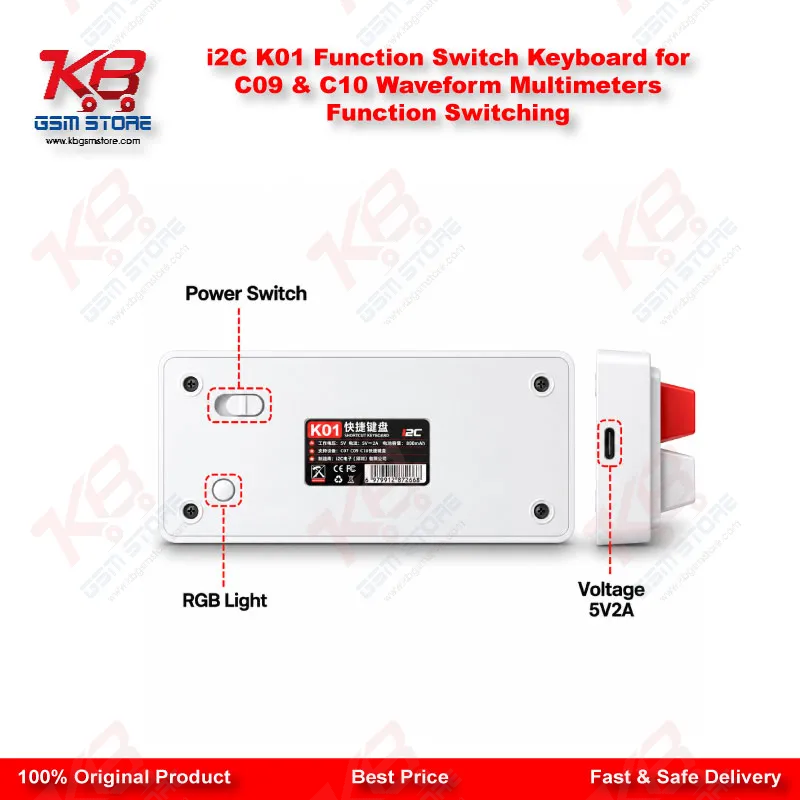
The i2C K01 Function Switch Keyboard for C09 & C10 Waveform Multimeters Function Switching lets you jump straight to the measurement page you need. Instead of stepping through the menus every time you change a test, one key takes you there. It connects to the tester’s expansion interface with a USB Type-C cable and is recognised automatically once plugged in, so there is nothing to configure before you start. On a repair bench where you move between voltage, current and charging checks all day, that saves real time on every board.

SKU:MST-SOLDERING-TOOLS-1565

⚖️ Weight: 0.03 kg

  • Safe & Secure Payment
  • Fast Delivery
  • WhatsApp Support
View full details

Description

The i2C K01 Function Switch Keyboard for C09 & C10 Waveform Multimeters Function Switching is a hotkey keyboard built for technicians who move between measurement pages constantly. On a busy bench you rarely test one thing at a time. You check voltage, then current, then a charging curve, and each change normally means navigating the menus again. This keyboard removes that step, because every key gives direct access to a measurement page and the function you need is one press away. The listing states it works with the C07, C09 and C10 testers. Setup is simple: the package includes the keyboard and a USB cable, and once it is connected through the Type-C port the device picks it up automatically with no additional setup. For a technician checking charging circuits, the benefit is speed and staying focused on the probes rather than the menu. The keyboard suits repair shops and service centres that run several test jobs a day, since small time savings repeat across every board.

Key Features

  • One-key direct access to measurement pages with no repeated switching
  • Fast switching between all measurement pages
  • Custom hotkey control for C07, C09 and C10 testers
  • Plug and play with automatic recognition after connection
  • No additional setup required before use
  • Connects through the expansion interface via USB Type-C
  • Package includes one keyboard and one USB cable
  • Single-purpose layout built around measurement page access

Specifications

Brand Entity i2C
Product Entity i2C K01 Function Switch Keyboard (hotkey keyboard)
Technology Entity USB Type-C connection, plug and play auto-recognition
Compatible Device Entities i2C C07, C09 and C10 waveform multimeters
Repair Process Entity board-level diagnosis, charging circuit checks, measurement mode switching
Industry Entity mobile repair test equipment

Compatible Devices

  • i2C C07 waveform multimeter (as listed)
  • i2C C09 waveform multimeter
  • i2C C10 waveform multimeter

Common Repair Uses

  • Switching quickly between voltage, current and other measurement pages during board-level diagnosis
  • Checking charging circuits while changing measurement modes without re-navigating menus
  • Reducing menu navigation during repeated test cycles on a busy repair bench

FAQ

What is the product name?
The product name is i2C K01 Function Switch Keyboard for C09 & C10 Waveform Multimeters Function Switching.
What is the brand of this product?
The brand of this product is i2C.
What is the model of this product?
The model of this product is K01.
What is this product used for?
This product is used to reach measurement pages directly on compatible i2C waveform multimeters without repeated menu switching.
Which devices are compatible with this product?
This product is compatible with the i2C C07, C09 and C10 waveform multimeters.
Who should use this product?
This product is suitable for mobile repair technicians, repair shops, service centers, and professional users.
Does it need any driver or software setup before use?
The listing says it is plug and play with no additional setup, and it is recognised automatically once connected.
How is the keyboard connected to the tester?
It connects to the tester’s expansion interface using a USB Type-C cable, which is included in the package.

Ask any Query