Skip to product information
1 of 5

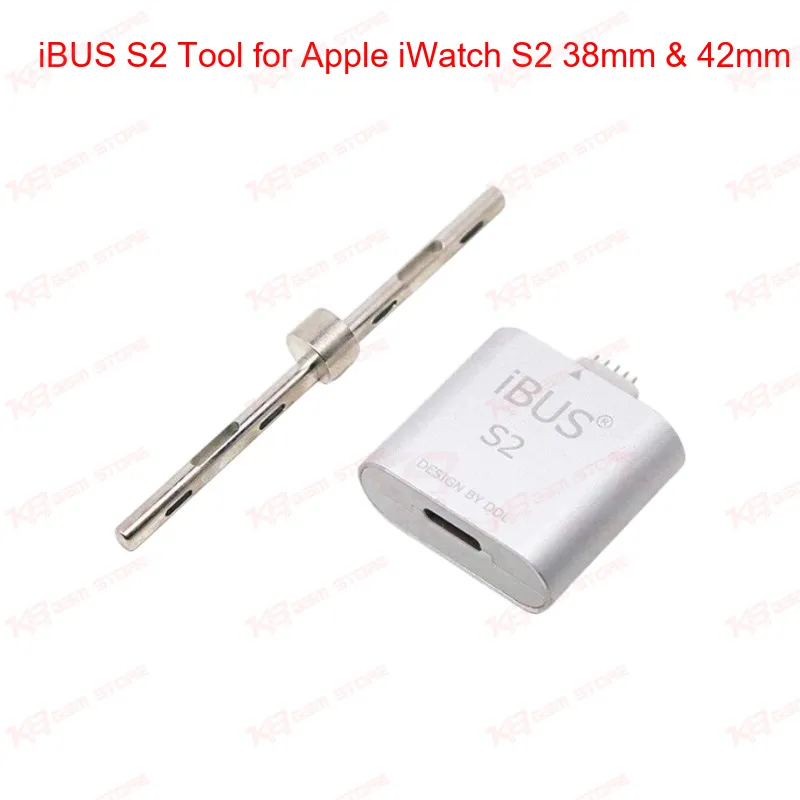
iBUS S2 Tool for Apple iWatch S2 38mm & 42mm

iBUS S2 Tool for Apple iWatch S2 38mm & 42mm

Regular price Rs.20,000.00 PKR
Regular price Sale price Rs.20,000.00 PKR
Sale Sold out
Shipping calculated at checkout.
Quantity

The iBUS S2 tool connects your Apple Watch Series 2 and Series 3 (38mm & 42mm) to your computer through a Lightning USB cable for software restore, upgrade, and repair. Technicians use it to recover watches stuck on a red exclamation mark after a glass digitizer change, or to bring a dead Apple Watch back to a working state through iTunes or MFC Dongle software. It does not include firmware or software of its own, so you need signed firmware ready before you plug it in. Built for repair shops and GSM technicians handling Apple Watch software faults on the bench.

SKU:MST-FLASHING-DEVICE-6

⚖️ Weight: 0.03 kg

  • Safe & Secure Payment
  • Fast Delivery
  • WhatsApp Support
View full details

If an Apple Watch S2 or S3 lands on your bench showing a red exclamation mark after a digitizer swap, or refusing to boot after a failed update, the iBUS S2 tool gives you a direct line into the watch through your computer's USB port. It uses a Lightning connector on one end and standard USB 2.0 on the other, so the watch talks to your PC or Mac the same way it would to Apple's own diagnostic hardware.On macOS, the tool works through iTunes (version 12.7 or higher) once you have the correct signed firmware ready to load. On Windows, it functions as an add-on for the MFC Dongle — the iBUS S2 does not run standalone on Windows, so you need the dongle already set up before this tool becomes useful in your workflow. Neither the cable nor the tool ships with firmware, so keep your signed IPSW files ready before starting a job, since Apple can stop signing older firmware versions at any time without notice.This is a software-side repair tool, not a hardware programmer. You are not reflashing an eMMC chip or reballing an IC here — you are pushing a restore or update through the watch's DFU (Device Firmware Update) mode. To put the Apple Watch into DFU or recovery mode, hold the Digital Crown and the Side button together, let the screen shut off, release the Side button after about three seconds, then keep holding the Crown for roughly ten more seconds until the watch enters recovery. Once it's in that state, iTunes or the MFC software should detect it and let you push the restore.A common repair scenario technicians see: a customer's watch shows the red exclamation icon after a screen or digitizer replacement, and the watch won't clear it on its own. Rather than sending the unit back to Apple, the iBUS S2 lets you clear that state locally through a firmware restore, saving turnaround time and avoiding the cost of an out-of-warranty Apple service claim. It's also useful on watches that hang after a failed OTA update or that need a clean software reset before resale.One limitation worth knowing before you buy: OTA (over-the-air) files cannot be restored through the iBUS S2. You need the full signed firmware package, not the incremental update file, or the restore simply won't complete. If you're not sure which firmware type you have, it's worth confirming before purchase rather than after — once the tool identifies your watch correctly through iTunes or MFC, that confirms compatibility, and refunds are not offered for firmware or usage errors on the customer's end.For a GSM repair shop that already handles Apple Watch screen and battery jobs, this tool fills the software gap — the part of the repair that a screwdriver and hot air station can't fix. Paired with an MFC Dongle setup, it turns a "shows exclamation mark, won't boot" watch into a billable, same-day repair instead of a write-off.

Key Features

Connects Apple Watch S2 & S3 directly to your PC or Mac via USB 2.0

Lightning-to-USB cable design built for repair bench use

Clears the red exclamation point error after digitizer replacement

Works with iTunes on macOS for standard restores

Functions as an MFC Dongle add-on for Windows-based restores

Puts the watch into DFU/recovery mode for firmware-level repair

Useful for pre-resale software resets on used Apple Watch units

Compact, plug-and-play design with no extra drivers to install

Specifications

Brand Entity iBUS
Product Entity iBUS S2 Restore Tool
Technology Entity USB 2.0, Lightning connector, DFU mode
Compatible Device Entities Apple Watch Series 2, Apple Watch Series 3 (38mm, 42mm)
Repair Process Entity Software restore, firmware flashing, digitizer post-repair fix
Industry Entity Mobile & wearable device repair, GSM technician tools

Compatible Devices

Apple Watch Series 2 (38mm & 42mm) and Apple Watch Series 3 (38mm & 42mm). Not compatible with newer Apple Watch generations.

Common Repair Uses

Clearing the red exclamation mark error after glass/digitizer replacement, restoring a dead or non-booting Apple Watch through DFU mode, pushing signed firmware restores and updates, and general software-level diagnostics on Series 2/3 watches before resale or return to the customer.

FAQ

What is the product name?
The product name is iBUS S2 Tool for Apple Watch S2 & S3 (38mm & 42mm).
What is the brand of this product?
The brand of this product is iBUS.
What is the model of this product?
The model is iBUS S2.
What is this product used for?
It is used for restoring, updating, and repairing Apple Watch software through DFU mode.
Which devices are compatible with this product?
It is compatible with Apple Watch Series 2 and Series 3 in both 38mm and 42mm sizes.
Who should use this product?
This tool suits mobile repair technicians, Apple Watch repair shops, and service centers handling software-side faults.
Does the iBUS S2 tool work standalone on Windows?
No — on Windows it works only as an add-on to an existing MFC Dongle setup; on macOS it works through iTunes without a dongle.
Can the iBUS S2 restore firmware using an OTA update file?
No — OTA files cannot be restored through this tool; you need the full signed IPSW firmware file before starting the restore.