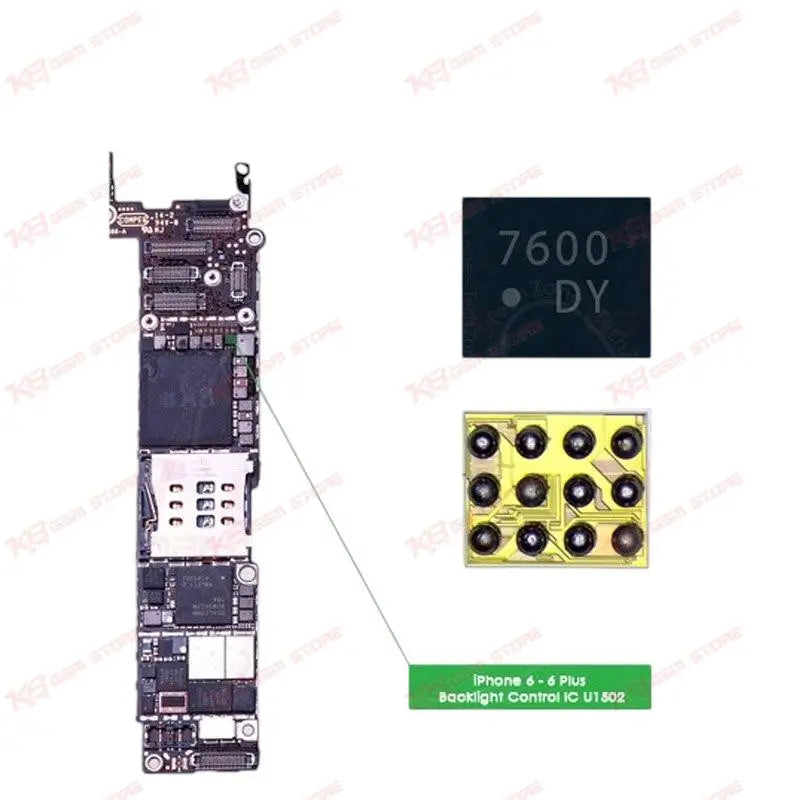
Backlight problems are one of the most common complaints technicians see on the iPhone 6 and iPhone 6 Plus. A customer walks in saying the phone turns on, they can hear notification sounds, sometimes even see a faint image on the screen under bright light, but the display stays dark. In most of these cases, before you touch the LCD or start checking the display flex, check U1502 on the logic board. This 12-pin IC sits directly in the backlight power path and is responsible for driving the LED backlight strip behind the screen. The chip carries the DY marking code and connects to the backlight boost circuit near the display connector on the board. When U1502 fails, either from a liquid damage short, a drop that cracked a solder joint, or a previous repair that damaged the pads, the symptoms are consistent: dim backlight, backlight that flickers on and off, backlight that works only when you press on the board, or complete no-backlight with an otherwise functional phone. If your diagnosis shows normal voltage everywhere else on the board but the backlight rail is dead or unstable, U1502 is usually the fix. Replacing this chip is board-level work, not something you hand to a beginner. You need a hot air station set to the right temperature profile, flux, a stencil sized for a 12-pin package if you are reballing rather than using a pre-balled chip, and a steady hand under the microscope. Remove the old IC carefully to avoid lifting pads, clean the site properly, apply fresh flux, and place the new U1502 with correct orientation before reflow. Rushing this job or using too much heat is what damages neighboring components and turns a simple IC change into a full board repair. This chip is compatible specifically with iPhone 6 and iPhone 6 Plus logic boards, so double-check the model before ordering if you are working across a mixed batch of boards. Pakistani repair shops handling high volumes of iPhone 6 and 6 Plus units know this IC well because these models are still common in the local secondhand and repair market, and backlight failure after physical damage or an amateur repair attempt is a routine ticket. Keep a few of these in your parts box if you handle iPhone 6 series boards regularly. A backlight issue that looks like an LCD problem often turns out to be this IC, and having it on hand means you can confirm and fix the fault in the same sitting instead of sending the customer away for a part. Pair it with proper reballing stencils and a calibrated hot air station for the cleanest result, and always test backlight function under both bright and dim lighting conditions before closing the board back into the housing.