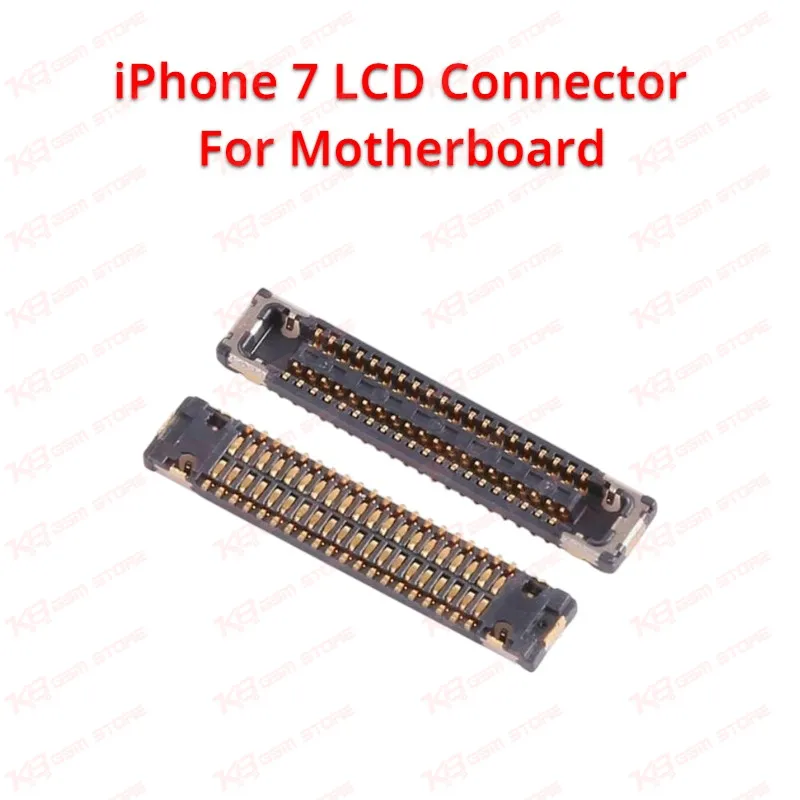
The iPhone 7 LCD connector for motherboard, factory-designated J4502, is the 40-pin surface-mount FPC connector that sits on the logic board and receives the LCD and digitizer flex cable coming from the display assembly. Every signal that drives the screen image and every touch input the digitizer registers passes through this single connector, which makes it one of the most failure-sensitive points on the iPhone 7 board. When a technician sees symptoms like a completely blank screen, a black screen with backlight present, vertical or horizontal lines running through the display, flickering, or a display that only works when the flex is pressed in a certain direction, the first diagnostic step is to inspect this connector rather than assume the LCD panel is dead. In many dead phone cases where the screen has already been swapped and the fault persists, the real issue traces back to a cracked pin, a lifted solder pad, or a physically damaged connector housing at J4502 rather than the display itself. Liquid damage is one of the most common causes of failure at this connector, since the LCD connector location makes it vulnerable to corrosion after water or moisture exposure, and corrosion under the connector body often shows up as intermittent display problems before the connector fails completely. Physical stress during screen replacement is another common cause, since aggressive prying or misaligned flex insertion during a previous screen change can crack solder joints underneath the connector even when no visible damage is present on top. On a repair bench, this connector is worked on with a hot air rework station set to a controlled temperature profile, flux, tweezers, and a microscope for accurate placement, since the fine pitch and small pad spacing leave very little margin for misalignment. Reballing is not typically required for this connector since it is a mechanical FPC socket rather than a BGA chip, but the surrounding board pads do need to be clean, flat, and free of lifted traces before a new connector is seated and reflowed. Technicians commonly encounter this repair after a "dead after flash" report where a customer already tried a software restore with no result, since a connector fault sits at the hardware level and software troubleshooting will not resolve it. Board cleaning with isopropyl alcohol before and after the rework step matters here, since flux residue and old adhesive left near the connector site can interfere with the new part's seating and lead to a repeat failure. Because this connector carries both LCD and digitizer signals together, a full replacement restores display output and touch response in one repair rather than requiring separate work for each function, which is a meaningful time saving on a repair bench handling multiple boards per day. This connector is a board-level component and its replacement calls for SMD rework experience, since incorrect heat application can damage nearby components on a densely populated logic board, and a technician should always test display function on a known-good screen before closing up the phone to confirm the connector repair actually resolved the fault. Stocking this connector as a bench consumable is practical for any shop that regularly handles iPhone 7 logic board repairs, since display connector failure is a recurring and predictable fault pattern across boards that have seen liquid exposure or repeated screen changes.