Skip to product information
1 of 5

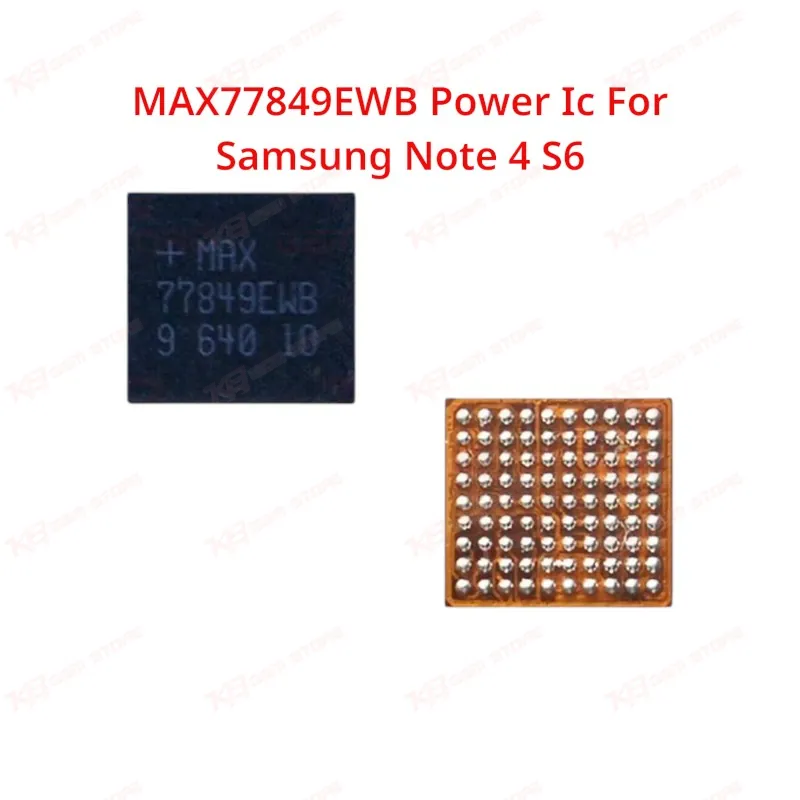
MAX77849EWB Power Ic For Samsung Note 4 S6

MAX77849EWB Power Ic For Samsung Note 4 S6

Regular price Rs.500.00 PKR
Regular price Sale price Rs.500.00 PKR
Sale Sold out
Shipping calculated at checkout.
Quantity

The MAX77849EWB is a small power management IC used on the motherboard of the Samsung Galaxy Note 4 and Galaxy S6. It handles USB cable detection and charging path control, so a faulty chip usually shows up as a dead phone, no charging, or a device stuck at the logo. Technicians pull this chip when charging IC replacement or hardware fault diagnosis points to the power management line rather than the battery or charging port. Reflow with hot air and a proper preheat, then test charging behavior before closing the board.

⚖️ Weight: 0.01 kg

SKU:MST-IC-184

  • Safe & Secure Payment
  • Fast Delivery
  • WhatsApp Support
View full details

Description

Working on a Note 4 or S6 that won't charge, won't power on, or hangs on logo after a drop or liquid exposure? The MAX77849EWB is one of the first chips to check once you've ruled out the charging port and battery. It sits on the power management line of the motherboard, controlling USB cable detection and charging path switching for the device.This chip belongs to the same architecture family as Maxim's MAX77843 power management and MUIC (Micro USB Interface Controller) series, which is why board-level repair guides and kernel-level documentation for Samsung's Note 4 and S6 platforms group it alongside MAX77843-based charging circuits. In real repair terms, that means the IC's job is reading what's plugged into the USB port and switching the charging or data path accordingly. When it fails, the phone can't tell the difference between a charger and a data cable, and you end up with a dead phone or a charging issue that no amount of port cleaning fixes.Common failure signs technicians report on the Note 4 and S6 include no response after a liquid damage clean, dead after flash with no charging LED, hang on logo after board-level short, and charging issue where the phone shows "charging" but current never actually flows into the battery. Before you commit to changing this IC, isolate the fault with a current meter on the charging line and check for shorts around the power management area. If the board pulls unusual current only when a charger is connected, or the phone won't wake at all on USB power, this chip is a realistic suspect.IC change karna on this chip is a fine-pitch reballing job, not a beginner swap. Use a hot air station with stable temperature control, a proper preheat stage to protect surrounding components like the PMIC and battery connector, and flux made for BGA/WLP-style packages. Clean old solder fully before reballing, align the chip under magnification, and reflow with a controlled profile rather than blasting heat directly. After reflow, test charging behavior and USB detection before you close the board — a cold joint on a chip this small will bring the phone right back to your bench.This part ships as a bare replacement IC, not a plug-and-play module, so it's meant for technicians already comfortable with board-level soldering rather than shops that only do screen and battery swaps. Keep it in your parts bin alongside your other Note 4 and S6 power ICs (MAX77819EWB, MAX77818EWZ) since boards with charging faults often need one of these tested in sequence to isolate the actual failure point.For workshops running higher volume on Note 4 and S6 boards, stocking this chip alongside your ISP tools and UFS programmers means you're not waiting on a supplier every time a charging-fault board comes in. Pair it with a reliable hot air rework station and a good microscope for alignment, and this becomes a routine same-day repair instead of a board you have to set aside.

Key Features

Motherboard-level power management IC for Note 4 and S6 boards

Handles USB cable detection and charging path switching

Same architecture family as Maxim's MAX77843 PMIC/MUIC series

Common fix for dead phone, no-charging, and hang-on-logo faults

Suited to fine-pitch hot air reballing and reflow rework

Sold as a bare replacement chip for board-level technicians

Pairs with other Note 4/S6 power ICs for fault isolation

Useful stock item for shops handling charging-fault boards regularly

Specifications

Brand Entity Maxim Integrated
Product Entity MAX77849EWB Power IC
Technology Entity Power Management IC (PMIC) / MUIC, I2C-controlled charging path switching
Compatible Device Entities Samsung Galaxy Note 4, Samsung Galaxy S6 Repair
Process Entity BGA/WLP reballing, hot air rework, board-level charging fault diagnosis Industry Entity

Compatible Devices

Devices: Samsung Galaxy Note 4 (N910 series), Samsung Galaxy S6 (G920 series)

Common Repair Uses

Dead phone repair, no charging / charging issue diagnosis, hang on logo after board-level fault, USB cable detection failure, board-level power management IC replacement, liquid damage board recovery

FAQ

What is the product name?
The product name is MAX77849EWB Power IC For Samsung Galaxy Note 4 & S6.
What is the brand of this product?
The brand of this product is Maxim Integrated.
What is the model of this product?
The model of this product is MAX77849EWB.
What is this product used for?
This product is used for replacing a faulty power management IC on Samsung Note 4 and S6 motherboards when the phone shows dead phone, no charging, or hang-on-logo symptoms.
Which devices are compatible with this product?
This product is compatible with the Samsung Galaxy Note 4 and Samsung Galaxy S6.
Who should use this product?
This product is suitable for mobile repair technicians, repair shops, service centers, and professional users comfortable with board-level soldering.
does the MAX77849EWB control charging on the Note 4 and S6?
Yes, it manages USB cable detection and charging path switching as part of the device's power management and MUIC circuit.
Is the MAX77849EWB the same as the MAX77843 used in other Samsung phones?
It belongs to the same Maxim power management and MUIC architecture family as the MAX77843, and board-level repair documentation groups the two together, though they are used on different device models.

Ask any Query