


Brand:
MECHANIC
Mechanic A210 Max Double Solder Iron
Mechanic A210 Max Double Solder Iron
Regular price
Rs.16,500.00 PKR
Regular price
Sale price
Rs.16,500.00 PKR
Shipping calculated at checkout.
Quantity
Couldn't load pickup availability
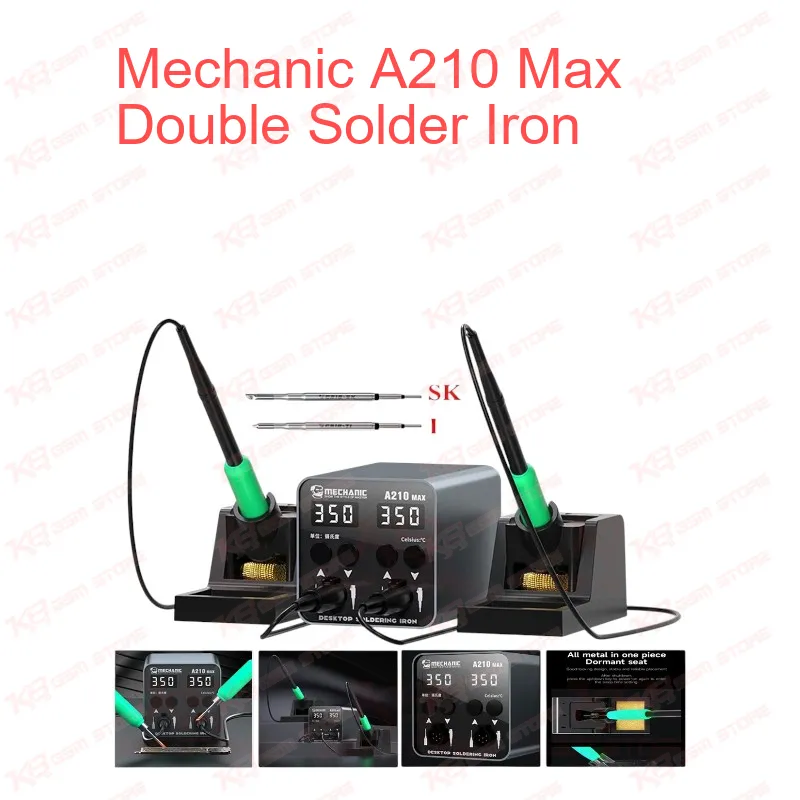
The Mechanic A210 Max Double Solder Iron gives your repair bench two constant-temperature handles on one compact 100W station. Each handle has its own LED screen, so you set one temperature for fine SMD work and another for larger pads without retuning. The station takes universal C210 series tips, covers 180–450°C, and stores five temperature gears for quick switching. Its built-in fuse cuts power on a short circuit, and the AC110–240V input runs on Pakistani sockets. If you handle IC change karna jobs, charging port repair, or board-level hardware faults every day, this station saves you time on every board.
SKU:MST-SOLDERING-ACCESSORIES-590
⚖️ Weight: 2.5 kg
- Safe & Secure Payment
- Fast Delivery
- WhatsApp Support


Description
FAQ
What is the product name?
The product name is Mechanic A210 Max Double Solder Iron.
What is the brand of this product?
The brand of this product is Mechanic.
What is the model of this product?
The model of this product is A210 MAX.
What is this product used for?
This product is used for constant-temperature soldering and rework on mobile phone boards and other PCBs, with two handles on one station.
Which devices are compatible with this product?
This product is a universal soldering tool and is not tied to specific phone models. It works with C210 series soldering tips.
Who should use this product?
This product is suitable for mobile repair technicians, repair shops, service centers, and professional users.
Which soldering tips fit the Mechanic A210 Max Double Solder Iron?
The station uses the universal C210 series heating core and works with all C210 series soldering tips.
Can the two handles run at different temperatures at the same time?
Yes. Each handle has its own independent LED screen, and the two screens do not interfere with each other, so you set each side separately within the 180–450°C range.
Does this station work on 220V power in Pakistan?
Yes. The station accepts AC110–240V input, so it runs on 220V sockets as well as 110V supplies.
What happens if a short circuit occurs?
The built-in fuse cuts power immediately to protect the equipment.