


Brand:
MECHANIC
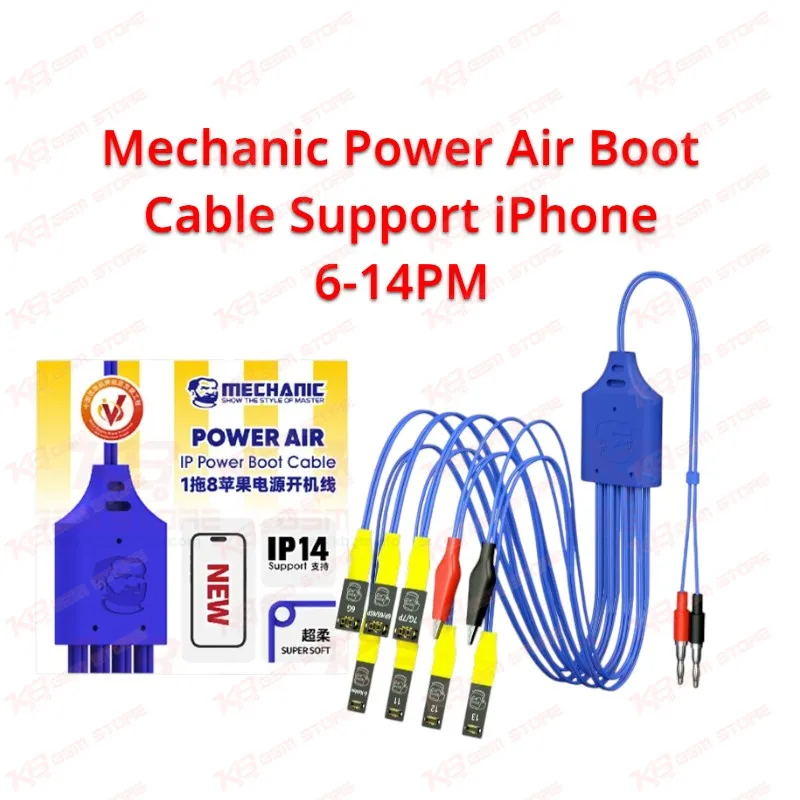
Mechanic Power Air Boot Cable Support iPhone 6-14PM
Mechanic Power Air Boot Cable Support iPhone 6-14PM
Regular price
Rs.2,600.00 PKR
Regular price
Sale price
Rs.2,600.00 PKR
Shipping calculated at checkout.
Quantity
Couldn't load pickup availability
Boot any iPhone logic board from iPhone 6 up to 14 Pro Max straight from your DC bench power supply with the Mechanic Power Air Boot Cable Support iPhone 6-14PM. Plug the banana connectors into your supply, press the matching head onto the battery connector, and read the board's current draw live on your supply display. You catch shorts, open power lines, and boot loop issues before you open a single tool, with no weak or swollen battery skewing your results. One cable covers more than twenty iPhone models, which makes it a daily essential for repair shops and service centers across Pakistan.
SKU:MST-SOLDERING-TOOLS-310
⚖️ Weight: 0.15 kg
- Safe & Secure Payment
- Fast Delivery
- WhatsApp Support


Description
FAQ
What is the product name?
The product name is Mechanic Power Air Boot Cable Support iPhone 6-14PM.
What is the brand of this product?
The brand of this product is Mechanic.
What is the model of this product?
The model of this product is Power Air IP Boot Cable for iPhone 6 to 14 Pro Max.
What is this product used for?
This product is used for powering and booting iPhone logic boards directly from a DC bench power supply for diagnosis and post-repair testing.
Which devices are compatible with this product?
This product is compatible with iPhone 6 and 6 Plus through iPhone 14, 14 Plus, 14 Pro and 14 Pro Max, including the 12 Mini and 13 Mini.
Who should use this product?
This product is suitable for mobile repair technicians, repair shops, service centers, and professional users.
Can I use this boot cable to find a short circuit on a dead iPhone board?
Yes. Connect the board through the cable to a current-limited DC power supply and watch the current reading; an immediate high draw indicates a short on a power rail, which you can then trace with a multimeter, thermal method, or microscope.
Does this cable support iPhone 15 or iPhone 16 models?
No. This version covers iPhone 6 up to iPhone 14 Pro Max. Newer iPhone 15 and 16 boards need a newer-generation boot cable.