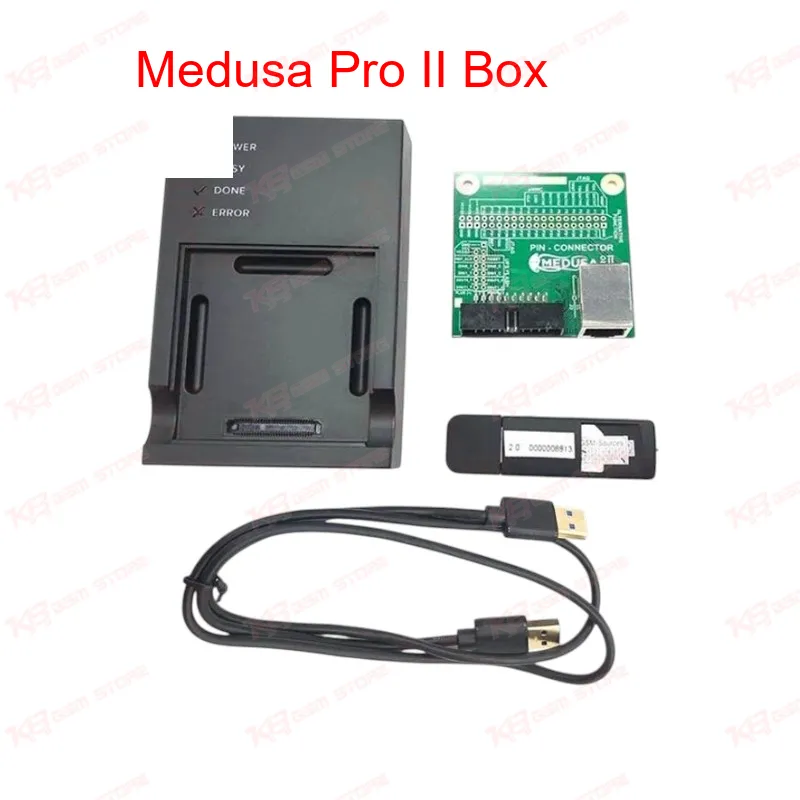
When a phone lands on your bench completely unresponsive after a failed update, or the eMMC starts throwing CRC errors mid-write, you need a tool that talks to the memory chip directly instead of relying on the phone's own bootloader. The Medusa Pro II Box does exactly that. It connects through UFS, USB 3.0, and MMC interfaces, giving you three separate paths into a device's storage depending on how badly it's damaged. For a phone with a dead after flash condition, you don't always need to pull the chip. The box's ISP connection lets you communicate with UFS and eMMC memory in-circuit, so you read the current partition layout, spot where the corruption sits, and rewrite only the damaged sections instead of wiping the whole chip. This saves you from reflashing calibration data, IMEI, and other partitions that were never touched by the fault in the first place. The Partition Manager is where the real repair work happens. You open a full flash binary, browse through individual partitions, edit the content directly, and save the corrected file back to the device. If you're dealing with a boot loop issue caused by a corrupted boot or recovery partition, you isolate that single partition, write a clean copy, and leave everything else on the chip untouched. That kind of surgical repair keeps your turnaround time low compared to a full chip reball and reflash. Smart-Repair-Files (SRF) speed up jobs you've handled before. Each SRF bundles the partition data along with reference notes for a specific device, so instead of researching the memory map from scratch every time a particular model comes in, you load the file and get straight to work. The built-in SRF Constructor also lets you build and save your own repair files as you work through new devices, which matters if your shop handles a wide mix of brands. Voltage handling is where a lot of cheaper boxes fall short. The Medusa Pro II Box regulates VCC, VCCQ, and VCCQ2 output across a 1.2V to 3.3V range, matching the operating voltage of the specific UFS or eMMC chip you're working on instead of running one fixed voltage across every job. That precision matters when you're pulling a chip off a modern board running lower voltage memory alongside an older device that still needs the higher range. On the hardware side, the eMMC 4-in-1 socket covers BGA254, BGA221, BGA162/186, and BGA153/169 footprints, while dedicated UFS sockets handle BGA-153 and BGA-254 packages. That's enough coverage to move between an older Huawei P-series board and a current-generation Samsung or Xiaomi device without swapping tools mid-job. The Pin-Connector expansion board gives you a soldered connection option for boards where the socket approach isn't practical, so you're not locked into one method for every repair. MMC support runs across 1-bit, 4-bit, and 8-bit bus modes, which affects both read/write speed and compatibility with older device generations still using narrower bus configurations. Combined with USB 3.0 high-speed mode (backward compatible with earlier USB standards), file transfers during a full chip dump or restore don't become the bottleneck in your workflow. The Medusa PRO software runs on Windows and gives you a straightforward interface for managing all of this — device selection, partition browsing, SRF loading, and voltage settings sit in one place instead of scattered across multiple utilities. Software updates continue to expand chip support, including added low-voltage mode handling for UFS 3.1 and UFS 4.0 memory and support for the Sahara v3 protocol, which matters as newer Qualcomm-based devices move to that download protocol for emergency flashing. For a technician running 5 to 20 jobs a week that involve dead boot, hardware fault after flash, or hang on logo symptoms, the Medusa Pro II Box replaces several single-purpose tools with one workflow. You're not switching between a separate ISP box, a separate eMMC programmer, and a separate UFS adapter — it's one device covering the read, write, edit, and partition-repair chain from diagnosis to finished repair.