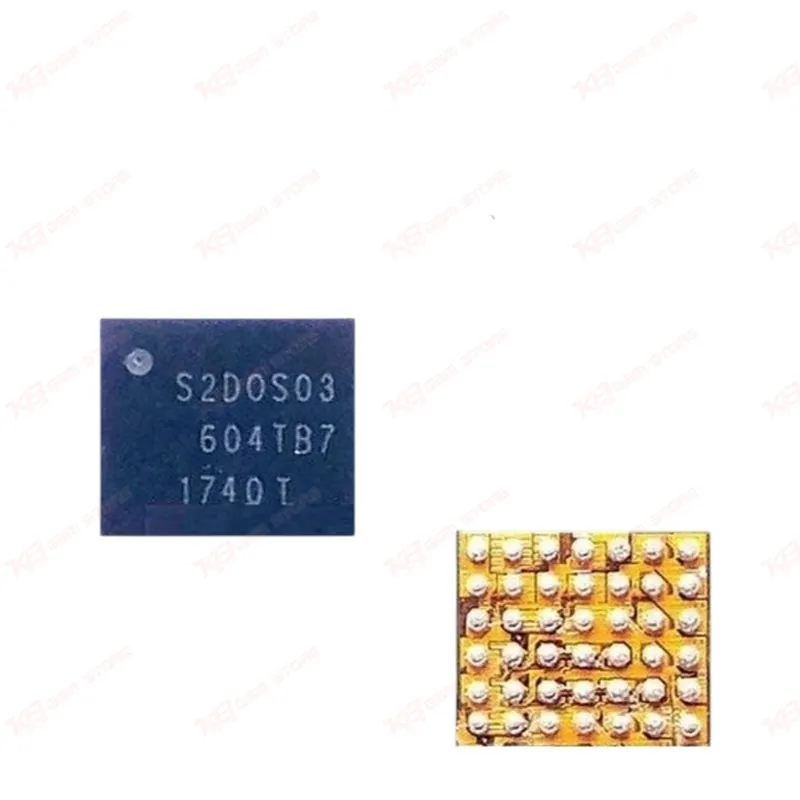
Open up a Galaxy S7 or S7 Edge board with a dead display or a no-backlight complaint, and the S2DOS03 is one of the first ICs you check. This chip manages power delivery to the display and backlight circuit on the SM-G930 and SM-G935/G9350 boards, and a damaged or shorted unit here directly causes hang-on-logo, blank screen, or backlight-only faults even when the panel itself tests fine.You'll find this IC marked S2DOS03 on original boards, though suppliers also list it under S2D0S03 and S2DOSO3 — same chip, different print batches. The package carries the 603VCT code, and it ships in BGA form, which means you need a proper hot air station, flux, and a reflow profile that matches BGA rework rather than a simple iron-and-solder swap. If your bench already runs eMMC or CPU reballing jobs, this chip follows the same discipline: clean pad prep, correct ball size, and controlled heat to avoid lifting neighboring components.In a typical repair scenario, a customer brings in an S7 Edge with liquid damage or a drop history, and the phone powers on with vibration and boot sound but the display stays dark. After you rule out the flex cable and confirm continuity on the display connector, board-level diagnosis often points to this power IC. A short on one of its output rails, corrosion under the ball grid, or a cracked solder joint from board flex all produce the same symptom. Swapping the S2DOS03 restores the display power rail and, in most of these cases, brings the screen back without needing a full board swap.This chip also comes into play on jumper and micro-soldering jobs where a technician traces a shorted rail back to the IC footprint. If your multimeter shows a dead short on the display power line and the fault clears once you lift the chip, that confirms your diagnosis and tells you the S2DOS03 needs replacement rather than a jumper repair. Keep a few of these in stock if you run a Samsung-focused repair shop — S7 and S7 Edge units are still common in the Pakistan secondhand market, and display/backlight faults on these boards show up often enough to justify bench inventory.Handling matters here. Store the chip in an anti-static bag until you're ready to reflow it, and check your hot air station's temperature calibration before you start — overheating a BGA power IC damages the die even if the reflow looks clean on the outside. Match your solder paste and flux to your existing eMMC/CPU rework routine, and use a microscope to inspect ball alignment before you seat the chip on the pads. A misaligned ball grid causes intermittent faults that come back to your bench days later, so take the extra two minutes to check alignment under magnification.This part fits directly into your PCB repair workflow alongside your existing hot air station, reballing kit, and microscope setup. Pair it with a good preheater if your board shows other cold joints nearby — preheating the board evenly before local reflow protects surrounding components and gives you a cleaner first-attempt repair instead of a repeat visit.