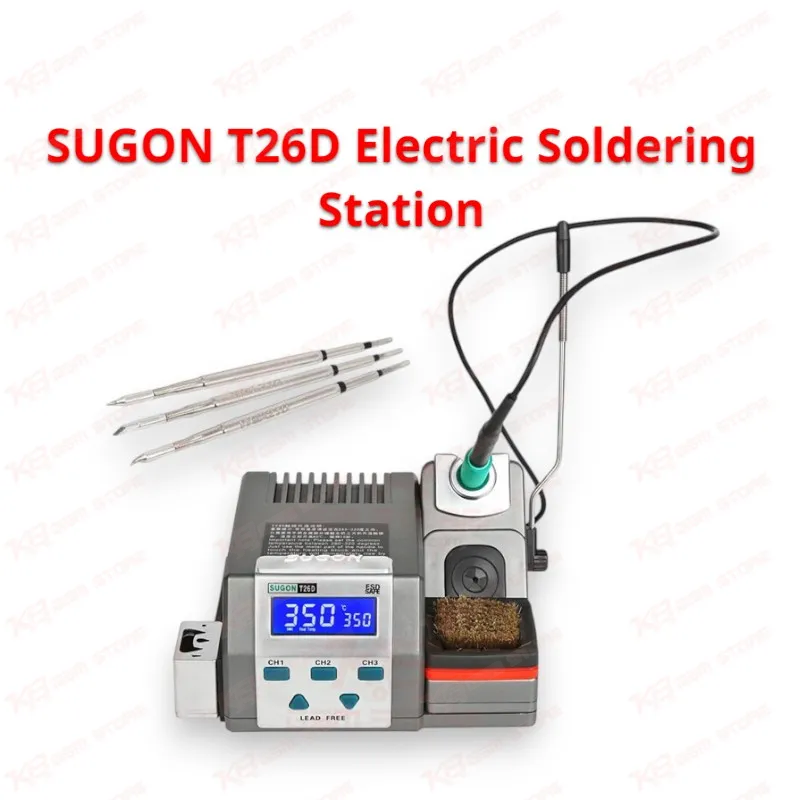
Overview — When you work on motherboard-level repair, temperature control is what separates a clean joint from a lifted pad, and the SUGON T26D is built around that exact problem. This is a precision lead-free soldering station designed for mobile phone PCB, BGA, and IC repair, and it targets the exact workflow a GSM technician runs through every day: quick pickup, stable heat, fast recovery, and a tip that survives repeated use on dense boards. Heating performance — The T26D uses a single-chip microcomputer control system that drives the iron head to working temperature in around 2 seconds, so you are not standing around waiting between jobs on a busy bench. Rated at 80W power consumption, the station covers a working temperature range of 200°C to 500°C (392°F to 932°F), with temperature stability held to ±2°C under no-airflow, no-load conditions. That stability matters directly on IC change and jumper lagana work, where a swing of even a few degrees can affect solder flow on tightly packed pads. Touch heating for large joints — One of the more practical features on this station is its touch-heating boost. When you hit a larger solder joint that needs extra thermal mass — a connector pad, a shield frame, or a ground plane — you tap the heating touch block on the station body twice with the handle, and the unit temporarily raises output by 80°C above your set point for 15 seconds before automatically returning to normal. You get the extra heat exactly when you need it without stopping to punch in new numbers on the display, which keeps your rhythm intact during board-level rework. Memory channels and workflow control — Three independent memory channels, CH1, CH2, and CH3, let you store separate temperature presets for different repair scenarios — one channel set for standard SMD component work, another dialed in for BGA-adjacent joints, and a third for fine-pitch IC pins. Switching channels is a single button press, so you are not resetting temperature by hand every time the job changes. The handle itself enters sleep mode automatically the moment you set it back on the holder, cutting element wear and stretching the working life of the heating core, which matters if this station is running most of the day in a service center. Display and calibration — The LED digital display shows live temperature and supports a direct toggle between Celsius and Fahrenheit by holding the up and down keys together, useful if your bench documentation or supplier specs are in a different unit than your default setting. The station also supports a manual calibration mode: set the display to 350°C, let the reading stabilize, verify against an external temperature tester at the tip, and enter the calibration sequence through the CH1 and CH3 buttons if the reading drifts from spec. This keeps long-term accuracy in check rather than relying purely on factory calibration once the tip has seen months of use. A buzzer toggle is also built in, so you can enable or disable audible feedback on channel switching and heat-up completion depending on your workshop preference. Tip compatibility — The T26D pairs with JBC C210 series soldering iron tips on a JBC T210-compatible handle, which is one of the more widely available tip families in the repair tool market. That means you are not locked into a single proprietary tip line, and sourcing replacement tips for different joint sizes — fine point for IC legs, chisel for ground planes — stays straightforward. Power and build — Dual input voltage support, AC 110V and AC 220V, means the station adapts to different regional power standards without needing a separate transformer, and it includes a grounding wire connection for ESD safety, which protects sensitive board components during handling. The unit is fully lead-free in operation, aligning with current soldering safety standards for both the technician and the boards being repaired. Where it fits in the repair workflow — On a GSM repair bench, this station sits at the center of hardware fault diagnosis and correction. It is the tool you reach for after IC-level fault isolation, when the fix requires physically removing or reseating a component — charging IC replacement on a dead-after-flash board, audio IC rework, PMIC reflow, or a connector resolder after a charging issue diagnosis. Its rapid heat-up and stable output make it equally suited to routine component-level repair and more demanding board-level rework where pad damage risk is high. Who it suits — This station suits mobile repair technicians, GSM software and hardware technicians, PCB repair specialists, and service center benches that run high daily repair volume and need consistent, repeatable soldering results rather than a station that drifts after the first hour of continuous use.