


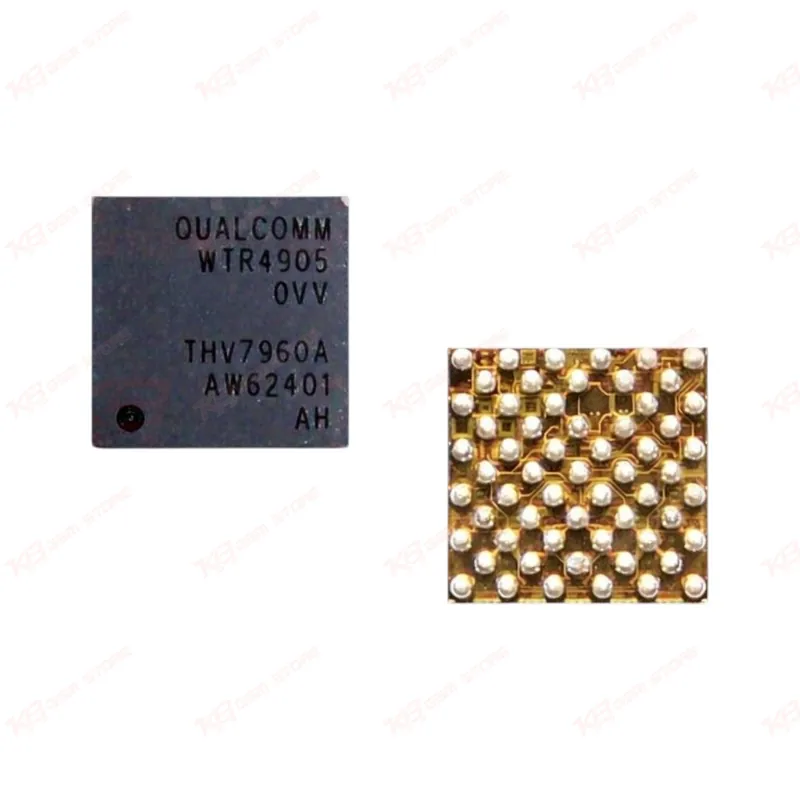
WTR4905 0VV Audio IC
WTR4905 0VV Audio IC
Regular price
Rs.400.00 PKR
Regular price
Sale price
Rs.400.00 PKR
Shipping calculated at checkout.
Quantity
Couldn't load pickup availability
The WTR4905 0VV is a Qualcomm intermediate frequency transceiver chip used in the RF signal path of several Samsung Galaxy board designs. Technicians reach for this IC when a phone shows no service, weak network, or signal drop after a fall or liquid damage, since the IF section is a common failure point in these cases. Some suppliers list it as an "Audio IC," but its actual job is RF signal handling, not sound output. This chip is meant for board-level repair — it needs proper reballing and reflow equipment, not a plug-and-play swap. Stock this part if your bench regularly handles network fault and dead-after-flash cases on Samsung boards.
⚖️ Weight: 0.01 kg
SKU:MST-IC-87
- Safe & Secure Payment
- Fast Delivery
- WhatsApp Support


Description
FAQ
What is the product name?
The product name is WTR4905 0VV Intermediate Frequency IC.
What is the brand of this product?
The brand of this product is Qualcomm.
What is the model of this product?
The model of this product is WTR4905 0VV.
What is this product used for?
This product is used for RF signal transmission and reception in the intermediate frequency section of supported board designs, and is replaced during network fault repair.
Which devices are compatible with this product?
This product is reported compatible with Samsung Galaxy A5, A8, J4 (2018), J5, and G7200-series boards; confirm variant match against your specific board schematic before ordering.
Who should use this product?
This product is suitable for mobile repair technicians, repair shops, service centers, and professional users handling board-level network fault repair.
Is the WTR4905 0VV an audio IC?
No — despite being listed as "Audio IC" on some marketplaces, this chip functions as an RF/intermediate frequency transceiver and does not process audio signals.
Can the 0VV and 1VV variants of the WTR4905 be used interchangeably?
No — variant markings correspond to specific board revisions, and mismatching them on a board designed for a different variant is a common cause of unresolved network faults after replacement.