


Brand:
AMAOE
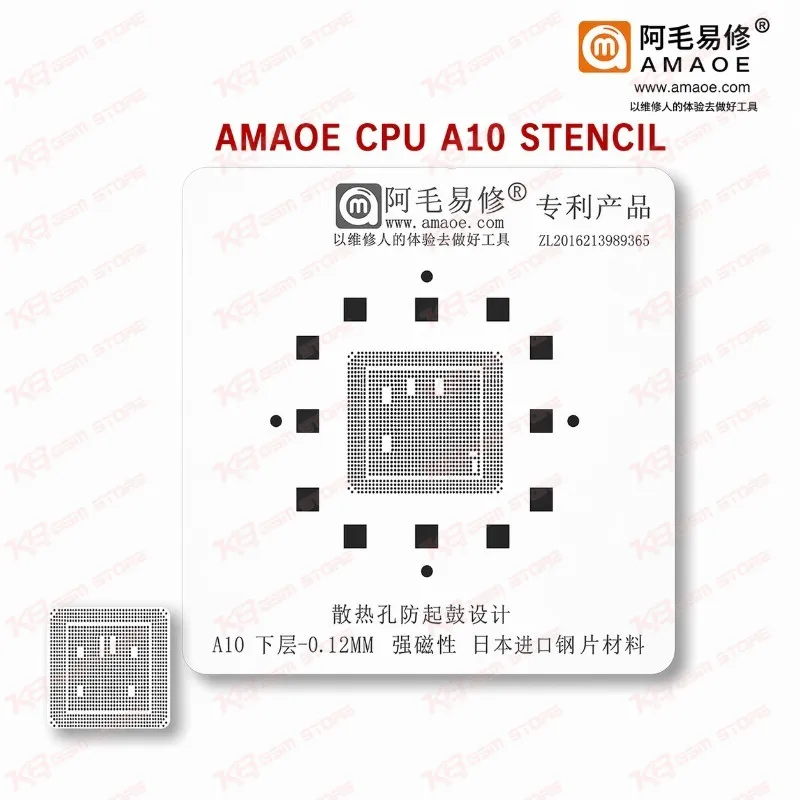
Amaoe CPU A10 Stencil
Amaoe CPU A10 Stencil
Regular price
Rs.599.00 PKR
Regular price
Sale price
Rs.599.00 PKR
Shipping calculated at checkout.
Quantity
Couldn't load pickup availability
Amaoe CPU A10 Stencil for iPhone 7 and 7 Plus CPU Reballing The Amaoe CPU A10 Stencil gives your repair bench a dedicated steel reballing template for the Apple A10 CPU on iPhone 7 and iPhone 7 Plus motherboards. You use it after an IC change karna job or a CPU lift to rebuild clean, evenly spaced solder balls on the pads, so the chip seats flat when you reflow it back. It suits dead phone cases, hang on logo faults, and boot loop issue repairs where hardware testing points to the CPU. Technicians who search for an A10 stencil price in Pakistan get a focused, shop-ready tool from KB GSM Store without paying for a full multi-model kit.
SKU:MST-SOLDERING-TOOLS-356
⚖️ Weight: 0.15 kg
- Safe & Secure Payment
- Fast Delivery
- WhatsApp Support


Description
FAQ
What is the product name?
The product name is Amaoe CPU A10 Stencil.
What is the brand of this product?
The brand of this product is Amaoe.
What is the model of this product?
The model of this product is CPU A10 Stencil.
What is this product used for?
This product is used for reballing the Apple A10 CPU on iPhone 7 and iPhone 7 Plus motherboards.
Which devices are compatible with this product?
This product is compatible with iPhone 7 and iPhone 7 Plus boards that use the Apple A10 CPU.
Who should use this product?
This product is suitable for mobile repair technicians, repair shops, service centers, and professional users.
Which iPhone boards does the Amaoe CPU A10 Stencil fit?
It fits iPhone 7 and iPhone 7 Plus motherboards, which use the Apple A10 CPU. Check the CPU marking on your board before you start.
Can I use this stencil for iPhone 8, iPhone 11, or Android CPUs?
No. This stencil targets the A10 CPU only. Amaoe lists separate stencils for other Apple CPUs such as A8, A9, A11, and A13, and for Qualcomm, MediaTek, and Samsung chips, so pick the one that matches your board.