


818PF Smart Wireless Fast Charging 100W 6-Port USB
818PF Smart Wireless Fast Charging 100W 6-Port USB
Regular price
Rs.6,200.00 PKR
Regular price
Sale price
Rs.6,200.00 PKR
Shipping calculated at checkout.
Quantity
Couldn't load pickup availability
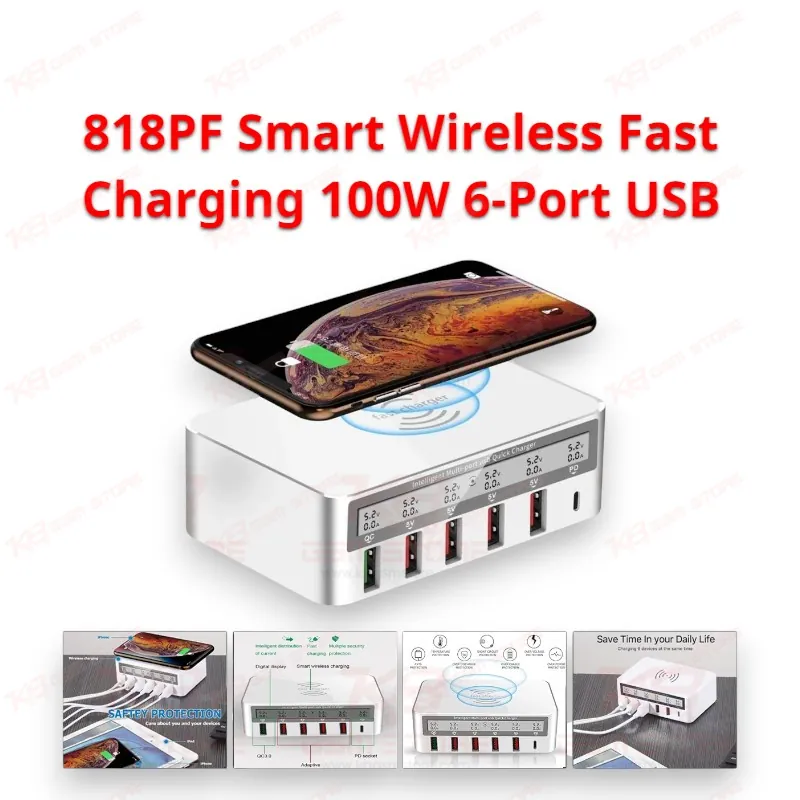
818PF Smart Wireless Fast Charging 100W 6-Port USB Station for Your Repair Bench The 818PF Smart Wireless Fast Charging 100W 6-Port USB station gives you six USB ports and a Qi wireless pad on one wall socket. You get four standard USB-A ports at 5V/2.4A, one QC 3.0 port, one USB-C PD port, and a 10W wireless pad, all under a 100W total rating. The front LED display keeps you informed while the unit runs. Use it to charge customer phones, run a charging check after a repair, and keep your own devices powered without hunting for six separate adapters. Shop owners who want a tidy bench save socket space and cable clutter.
SKU:MST-SOLDERING-TOOLS-814
⚖️ Weight: 0.49 kg
- Safe & Secure Payment
- Fast Delivery
- WhatsApp Support


Description
FAQ
What is the product name?
The product name is 818PF Smart Wireless Fast Charging 100W 6-Port USB.
What is the model of this product?
The model code in market listings is WLX-818PF.
What is this product used for?
This product charges up to six devices over USB and one Qi-enabled phone wirelessly from a single wall socket.
Which devices are compatible with this product?
This product charges smartphones, tablets, MP3/MP4 players, digital cameras, and other USB-powered devices. Qi-enabled phones also charge on the wireless pad.
Who should use this product?
This product is suitable for mobile repair technicians, repair shops, service centers, and professional users.
Can the 818PF charge a laptop through the USB-C PD port?
No. The PD port tops out at 18W, which suits phones and small devices but not laptops.
Which phones charge on the 818PF wireless pad, and how fast?
Only phones with built-in Qi wireless charging work on the pad, at up to 10W. Phones without Qi support need a cable on one of the USB ports.