


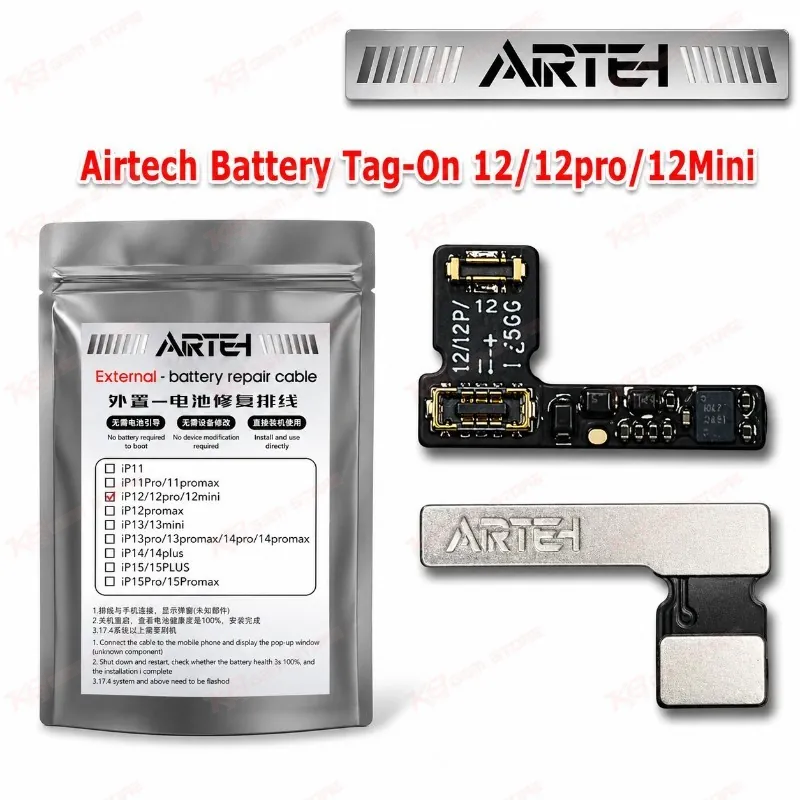
Airtech Battery Tag-On 12/12pro/12Mini
Airtech Battery Tag-On 12/12pro/12Mini
Regular price
Rs.399.00 PKR
Regular price
Sale price
Rs.399.00 PKR
Shipping calculated at checkout.
Quantity
Couldn't load pickup availability
Airtech Battery Tag-On for iPhone 12 Series Repairs Airtech Battery Tag-On 12/12pro/12Mini gives your repair bench a replacement battery with a tag-on flex for the iPhone 12, iPhone 12 Pro, and iPhone 12 Mini. You swap a weak cell, and the phone keeps its battery health data. Technicians reach for it on fast-drain complaints, sudden shutdowns, and charging issue jobs. Pick the variant that matches your model, because the 12 Mini uses a different battery from the 12 and 12 Pro. Order it from KB GSM Store and keep stock ready for your daily iPhone repair queue.
SKU:MST-SOLDERING-TOOLS-1116
⚖️ Weight: 0.01 kg
- Safe & Secure Payment
- Fast Delivery
- WhatsApp Support


Description
FAQ
What is the product name?
The product name is Airtech Battery Tag-On 12/12pro/12Mini.
What is the brand of this product?
The brand of this product is Airtech.
What is the model of this product?
The model of this product is Battery Tag-On 12/12pro/12Mini.
What is this product used for?
This product is used for replacing the battery in iPhone 12, iPhone 12 Pro, and iPhone 12 Mini while keeping battery health data.
Which devices are compatible with this product?
This product is compatible with the iPhone 12, iPhone 12 Pro, and iPhone 12 Mini.
Who should use this product?
This product is suitable for mobile repair technicians, repair shops, service centers, and professional users.
Does the tag-on flex keep battery health data on the iPhone 12?
Yes. A tag-on battery has a pre-programmed flex that allows battery replacement without limiting battery health data.
Does the iPhone 12 Mini use the same battery as the iPhone 12 and 12 Pro?
No. The 12 and 12 Pro share the same battery size and connector, while the 12 Mini uses a smaller battery. Select the variant that matches your phone.