


Airtech Battery Tag-On 12 Pro Max
Airtech Battery Tag-On 12 Pro Max
Regular price
Rs.399.00 PKR
Regular price
Sale price
Rs.399.00 PKR
Shipping calculated at checkout.
Quantity
Couldn't load pickup availability
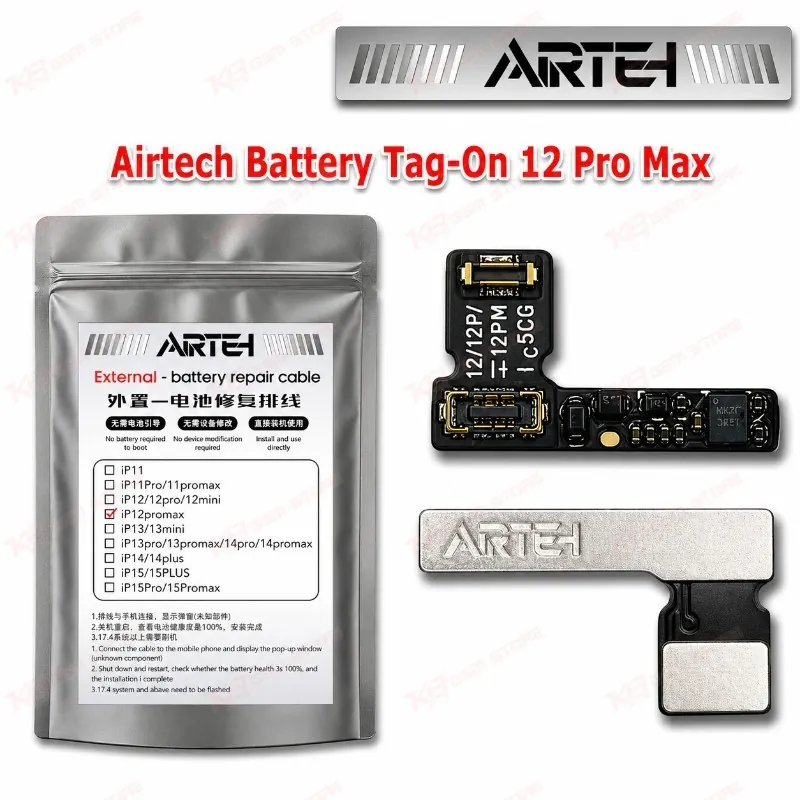
Airtech Battery Tag-On 12 Pro Max for iPhone 12 Pro Max Battery Health The Airtech Battery Tag-On 12 Pro Max gives your repair bench a clean way to handle battery health data after a cell replacement on the iPhone 12 Pro Max. The flex connects inline at the battery connector, so you skip the extra programming steps that come with a bare cell swap. Your customer gets a phone that reads battery data properly, and you avoid the “battery health” complaint a few days after delivery. If you handle iPhone 12 Pro Max battery jobs every week, this tag-on flex keeps your workflow fast, tidy, and professional for every repair.
SKU:MST-SOLDERING-TOOLS-1117
⚖️ Weight: 0.01 kg
- Safe & Secure Payment
- Fast Delivery
- WhatsApp Support


Description
FAQ
What is the product name?
The product name is Airtech Battery Tag-On 12 Pro Max.
What is the brand of this product?
The brand of this product is Airtech.
What is the model of this product?
The model of this product is Battery Tag-On 12 Pro Max.
What is this product used for?
This product is used for handling battery health data after a battery cell replacement on the iPhone 12 Pro Max.
Which devices are compatible with this product?
This product is compatible with the Apple iPhone 12 Pro Max.
Who should use this product?
This product is suitable for mobile repair technicians, repair shops, service centers, and professional users.
Can I use this tag-on flex on an iPhone 12 or iPhone 12 Pro?
No. This listing covers the iPhone 12 Pro Max only. Use the flex made for your exact model to avoid connector and data mismatch.
Do I need a programmer to use a tag-on flex on an iPhone 12 Pro Max?
Tag-on flex solutions connect directly at the battery connector, so you do not need a full programmer setup for the job.