


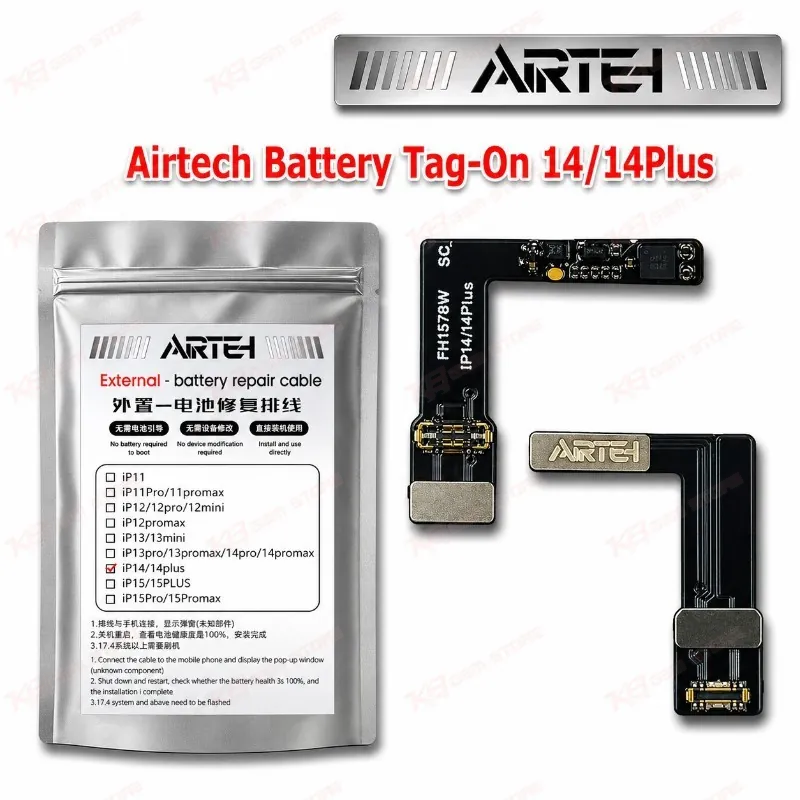
Airtech Battery Tag-On 14/14Plus
Airtech Battery Tag-On 14/14Plus
Regular price
Rs.399.00 PKR
Regular price
Sale price
Rs.399.00 PKR
Shipping calculated at checkout.
Quantity
Couldn't load pickup availability
Airtech Battery Tag-On 14/14Plus for iPhone 14 and 14 Plus Battery Repair The Airtech Battery Tag-On 14/14Plus is a tag-on flex for iPhone 14 and iPhone 14 Plus battery replacement jobs. You fit a new battery, and the phone shows the “Important Battery Message” or a non-genuine battery warning. That message sends customers back to your counter. This flex gives you a hardware route to deal with it without welding the old BMS board onto a new cell. One flex covers both models, so your repair bench stays organized and your stock stays simple. Add it to your battery replacement kit if your shop handles iPhone 14 series phones every week.
SKU:MST-SOLDERING-TOOLS-1120
⚖️ Weight: 0.01 kg
- Safe & Secure Payment
- Fast Delivery
- WhatsApp Support


Description
FAQ
What is the product name?
The product name is Airtech Battery Tag-On 14/14Plus.
What is the brand of this product?
The brand of this product is Airtech.
What is the model of this product?
The model of this product is Tag-On 14/14Plus.
What is this product used for?
This product is used for iPhone 14 and 14 Plus battery replacement jobs where you need to deal with the non-genuine battery warning.
Which devices are compatible with this product?
This product is compatible with iPhone 14 and iPhone 14 Plus.
Who should use this product?
This product is suitable for mobile repair technicians, repair shops, service centers, and professional users.
Do I need a programmer with the Airtech Battery Tag-On 14/14Plus?
Tag-on flexes of this type work together with a battery programmer to update battery data. Check that your programmer supports iPhone 14 and 14 Plus before you buy.
Does this flex work on iPhone 14 Pro and 14 Pro Max?
No. This flex covers iPhone 14 and 14 Plus. The 14 Pro and 14 Pro Max use a separate tag-on flex, so buy the correct one for your model.