


Airtech Battery Tag-On 15 Pro Max
Airtech Battery Tag-On 15 Pro Max
Regular price
Rs.599.00 PKR
Regular price
Sale price
Rs.599.00 PKR
Shipping calculated at checkout.
Quantity
Couldn't load pickup availability
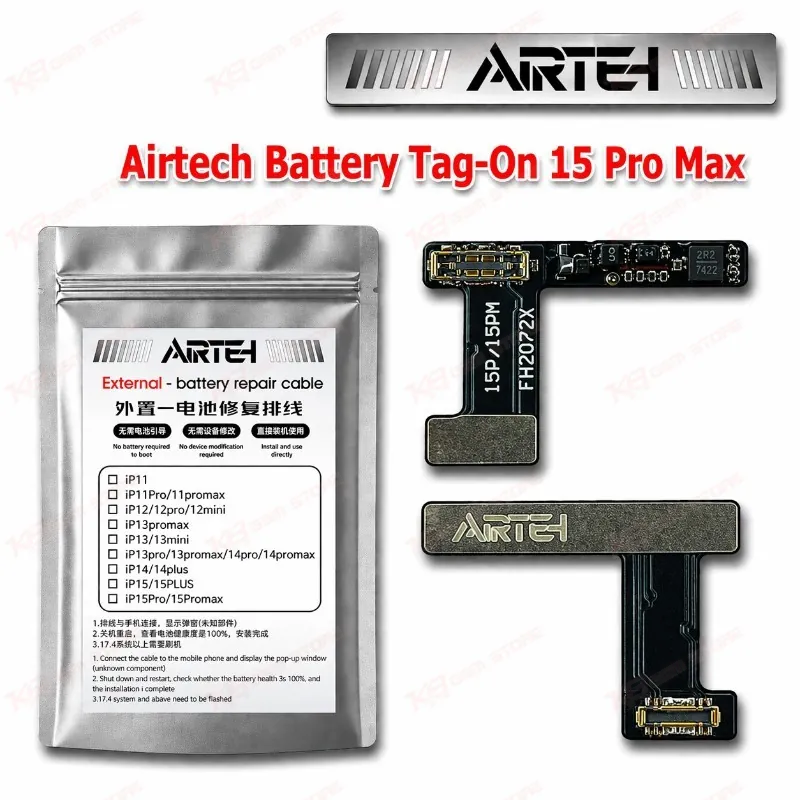
Airtech Battery Tag-On 15 Pro Max for iPhone 15 Pro Max Repairs The Airtech Battery Tag-On 15 Pro Max gives your repair bench a tag-on flex battery for the iPhone 15 Pro Max. You swap the cell and avoid the battery health restrictions that often follow a plain replacement, so your customer keeps a normal reading on the Settings screen. This suits shops that handle daily battery complaints: fast draining, sudden shutdowns, and swollen cells. You stock one part for the A2849, A3105, A3106, and A3108 model codes and keep your battery jobs quick and predictable. Check the price in Pakistan at KB GSM Store and add it to your repair parts shelf.
SKU:MST-SOLDERING-TOOLS-1122
⚖️ Weight: 0.01 kg
- Safe & Secure Payment
- Fast Delivery
- WhatsApp Support


Description
FAQ
What is the product name?
The product name is Airtech Battery Tag-On 15 Pro Max.
What is the brand of this product?
The brand of this product is Airtech.
What is the model of this product?
The model of this product is Tag-On 15 Pro Max.
What is this product used for?
This product replaces the battery in the iPhone 15 Pro Max using a tag-on flex design.
Which devices are compatible with this product?
This product is compatible with the Apple iPhone 15 Pro Max, model codes A2849, A3105, A3106, and A3108.
Who should use this product?
This product is suitable for mobile repair technicians, repair shops, service centers, and professional users.
Does a tag-on flex battery need spot welding or a programmer?
A tag-on flex battery ships with a pre-programmed flex. This differs from bare cells, which need spot welding and a programmer to carry the original battery data across.
Which iPhone 15 Pro Max model codes does this battery cover?
It covers A2849, A3105, A3106, and A3108. Check the model code under Settings before you order.