


Brand:
AMAOE
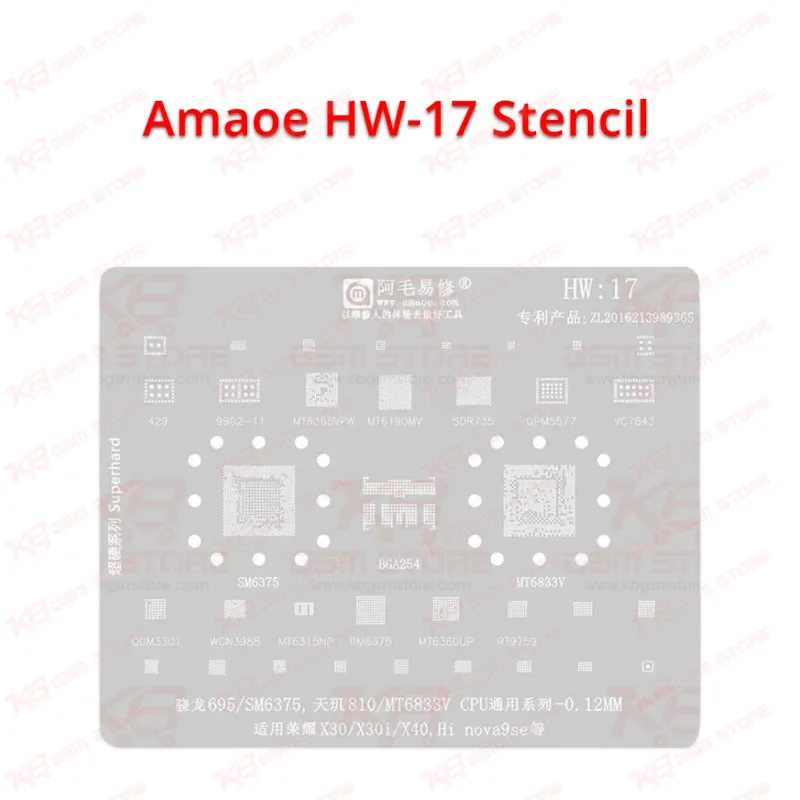
Amaoe HW-17 Stencil
Amaoe HW-17 Stencil
Regular price
Rs.600.00 PKR
Regular price
Sale price
Rs.600.00 PKR
Shipping calculated at checkout.
Quantity
Couldn't load pickup availability
Amaoe HW-17 Stencil for SM6375 and MT6833V CPU Reballing The Amaoe HW-17 Stencil gives you a 0.12mm square-hole steel template for reballing the Snapdragon 695 (SM6375) and Dimensity 810 (MT6833V) CPU on Honor X30, X30i, X40 and Huawei nova 9 SE boards. One sheet also carries layouts for supporting ICs such as MT6190MV, WCN3988, QPM5577 and RT9759, so you finish a dead phone or hang on logo job without hunting for extra templates. The super-hard steel resists warping under hot air, and you reuse it across many IC change karna jobs. Order the Amaoe HW-17 Stencil from KB GSM Store and get the best price in Pakistan.
SKU:MST-SOLDERING-TOOLS-988
⚖️ Weight: 0.01 kg
- Safe & Secure Payment
- Fast Delivery
- WhatsApp Support


Description
FAQ
What is the product name?
The product name is Amaoe HW-17 Stencil.
What is the brand of this product?
The brand of this product is Amaoe.
What is the model of this product?
The model of this product is HW-17.
What is this product used for?
This product is used for BGA reballing of the SM6375 and MT6833V CPU series and related ICs on Honor and Huawei phone boards.
Which devices are compatible with this product?
This product is compatible with Honor X30, X30i, X40 and Huawei nova 9 SE phones, plus boards built on the Snapdragon 695 (SM6375) and Dimensity 810 (MT6833V) CPU series.
Who should use this product?
This product is suitable for mobile repair technicians, repair shops, service centers, and professional users.
Which ICs does the Amaoe HW-17 Stencil cover besides the main CPU?
The listed patterns include BGA254, 429, 9902-11, MT6365VPW, MT6190MV, SDR735, QPM5577, VC7643, QDM3301, WCN3988, MT6315NP, PM6375, MT6360UP and RT9759. Check the marking on your board and match it to the correct section before you reball.
Can I reuse the Amaoe HW-17 Stencil after reballing?
Yes. The stencil uses 0.12mm hard steel and listings describe it as reusable. Clean it with flux remover after each job and store it flat so the apertures stay clear.