


Brand:
MECHANIC
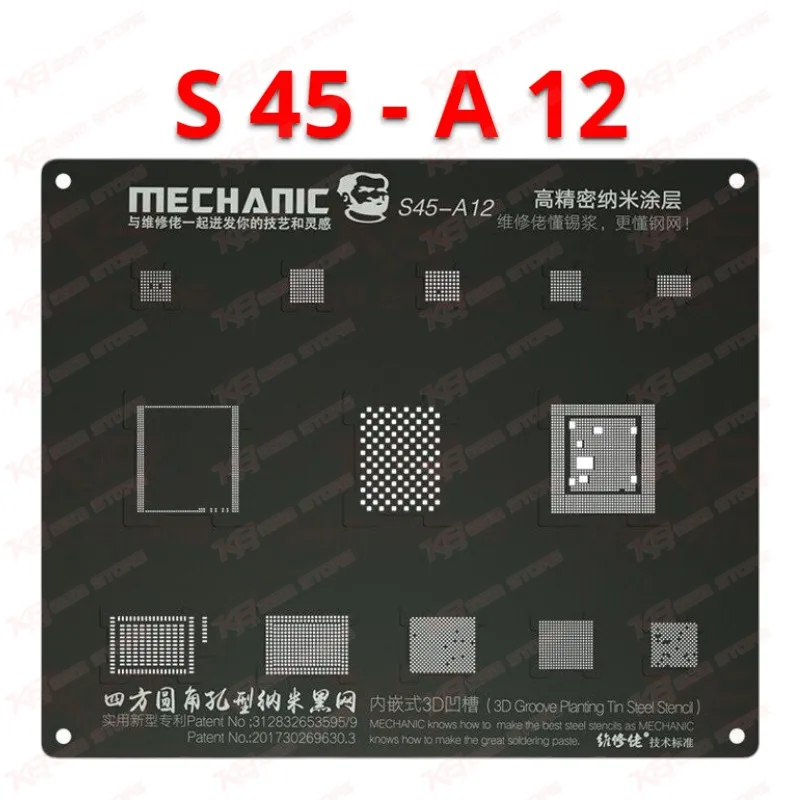
Mechanic 3D Groove Black Stencil For iPhone A12
Mechanic 3D Groove Black Stencil For iPhone A12
Regular price
Rs.1,500.00 PKR
Regular price
Sale price
Rs.1,500.00 PKR
Shipping calculated at checkout.
Quantity
Couldn't load pickup availability
The Mechanic 3D Groove Black Stencil For iPhone A12 is a dedicated BGA reballing template for the A12 Bionic CPU used on iPhone XS, XS Max and XR logic boards. Its stepped 3D groove seats the chip and lines the apertures up with the tinning pads in seconds, while square holes release formed solder balls cleanly after heating. The thicker steel sheet resists warping under repeated hot air cycles, so it stays flat job after job. For Pakistani repair shops handling dead iPhones, logo hang faults and CPU reball work, this stencil brings faster alignment and more consistent ball formation to every A12 job.
SKU:MST-SOLDERING-TOOLS-105
⚖️ Weight: 0.01 kg
- Safe & Secure Payment
- Fast Delivery
- WhatsApp Support


Description
FAQ
What is the product name?
The product name is Mechanic 3D Groove Black Stencil For iPhone A12.
What is the brand of this product?
The brand of this product is Mechanic.
What is the model of this product?
The model of this product is 3D Groove Black Stencil For iPhone A12.
What is this product used for?
This product is used for BGA reballing of the Apple A12 CPU during iPhone motherboard repair.
Which devices are compatible with this product?
This product is compatible with the A12 Bionic CPU used in iPhone XS, iPhone XS Max and iPhone XR.
Who should use this product?
This product is suitable for mobile repair technicians, repair shops, service centers, and professional users.
Can I use this A12 stencil to reball an A11 or A13 CPU?
No. Each Apple CPU generation uses its own ball layout and package outline, so this stencil fits the A12 only. Use the matching A11 or A13 stencil for those chips.
Why does this stencil use square holes instead of round holes?
Square apertures release the formed solder balls more easily once the solder cools, so you lose fewer balls to sticking and lift the stencil off the chip without disturbing the rows.
Does the 3D groove remove the need for manual alignment under the microscope?
The stepped groove seats the A12 and lines the apertures up with the pads, so you skip the usual nudging into position. A microscope still helps you inspect ball formation after heating.