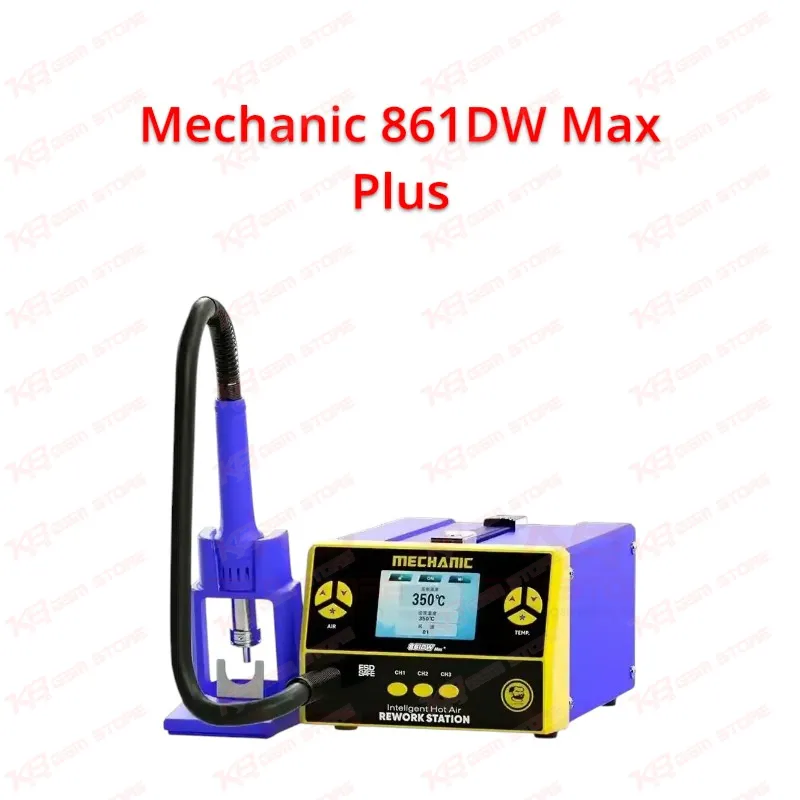
Every technician who has pulled a chip off a dead phone knows that the hot air station decides whether the repair finishes clean or ruins the board, and the Mechanic 861DW Max Plus is a 1000W hot air rework station that gives you control over that step. You use it at the heart of your hardware workflow, whenever a board needs an IC change, a connector swap, a shield removal or a reflow. The 1000W output gives your bench a strong heat source for mobile motherboard repair, and the LCD display shows your working temperature so you stop guessing and start repeating results. When you fix a hardware fault such as a charging issue, a display problem, a network issue or a phone that dies after flashing, the first job often involves lifting a component, and the Mechanic 861DW Max Plus handles that job on SMD and BGA style parts found on phone PCBs. You set the temperature, you pick the nozzle, and you work the board in steady passes instead of rushing one spot. The temperature memory function saves your settings, so you do not rebuild your preferred setup every morning when you open the shop. If your bench handles different board types through the day, you recall the setup that suits the job and keep moving. Password protection and the key lock add a layer of control that matters in a busy workshop. When an apprentice, a helper or a customer-facing staff member touches your station, the key lock stops accidental changes to your heat settings, and the password keeps your configuration in your hands. A repair shop owner in Pakistan who shares one station between several technicians gets a practical benefit here, because nobody changes a profile in the middle of a delicate reball or IC removal. The magnetic sleep switch handles the other daily annoyance: you rest the handle, and the station goes to sleep without you hunting for a button. You pick the handle up and work again. That habit keeps your bench cooler, protects your workspace from stray hot air, and makes your sessions safer when you switch between your microscope, your multimeter and your soldering station. Four wind nozzles come with the Mechanic 861DW Max Plus, and nozzle choice matters more than most beginners think. A narrow nozzle concentrates heat on a single IC and spares the neighboring components, while a wider nozzle spreads heat across a larger part such as a shielding can. You match the nozzle to the target, hold it at a steady height, and keep the airflow from pushing small passive parts off the board. This rule saves boards in every workshop, from a small mobile market stall to a full service center. The station fits naturally into the full PCB repair process. You start with diagnostics, using a multimeter to trace a short or a missing voltage, and a test box or ISP pinout tool when the problem points to storage or boot trouble. When the fault points to a failed chip, you move to rework: you remove the part with the hot air station, clean the pads under a microscope, prepare the board on a PCB holder, and place the new part. For BGA work, you pair the station with a reballing kit so the replacement chip sits correctly. For eMMC and UFS jobs on a dead phone, you often lift the chip with hot air, reball it, and then connect it to your eMMC programmer or UFS adapter to read, repair or reflash the data. The Mechanic 861DW Max Plus covers the heat stage of that chain, which makes it a core piece in any hot air station and soldering station setup. Pakistani technicians describe their daily jobs in direct terms: dead phone, boot loop issue, hang on logo, dead after flash, charging issue, display problem. Many of those complaints end at the hardware level. A boot loop after a drop may trace to a loose chip, a charging fault may point to a charging IC, and a display problem may need a connector replacement. When you do IC change karna on these boards, a station with stable temperature control, a clear LCD readout and dependable sleep behavior protects your hands and your customer's phone. You also avoid the cost of ruined boards, which matters when margins in the repair market stay tight. If you train new technicians at an institute or in your own shop, the LCD display, the key lock and the saved settings make the Mechanic 861DW Max Plus easy to teach on. A student sees the temperature, learns what a safe working range looks like for each job, and repeats the same steps without a station that behaves differently each time. Trainers set a profile once, lock it, and let students practice nozzle selection and airflow technique without touching the heat settings. Think about the upgrade path on your bench as well. A basic hot air gun gets you started, but a digital station with memory, lock and sleep features moves you toward repeatable results. When your workload grows, you add a better microscope for pad inspection, a PCB holder to steady the board, a stronger soldering station for fine work, and a reballing kit for chip-level jobs. The Mechanic 861DW Max Plus sits in the middle of that growth: it handles beginner rework today and keeps up with a busier workshop tomorrow. Before you buy, plan your bench around the way you work. Place the station where the handle rests easily on its holder, keep your nozzles within reach, and set your preferred temperature before you pick up the board. Keep heat-sensitive parts such as connectors, batteries and plastic frames shielded, because hot air spreads further than you expect. Use a PCB holder so the board stays flat, check your work under magnification, and let the board cool before you test. These habits, together with the features of the Mechanic 861DW Max Plus, give you cleaner repairs and fewer repeat visits from unhappy customers. For repair shop owners, service centers and professional technicians across Pakistan, this station gives you a practical, feature-rich tool for daily mobile repair, PCB rework and chip-level jobs.