


Brand:
MECHANIC
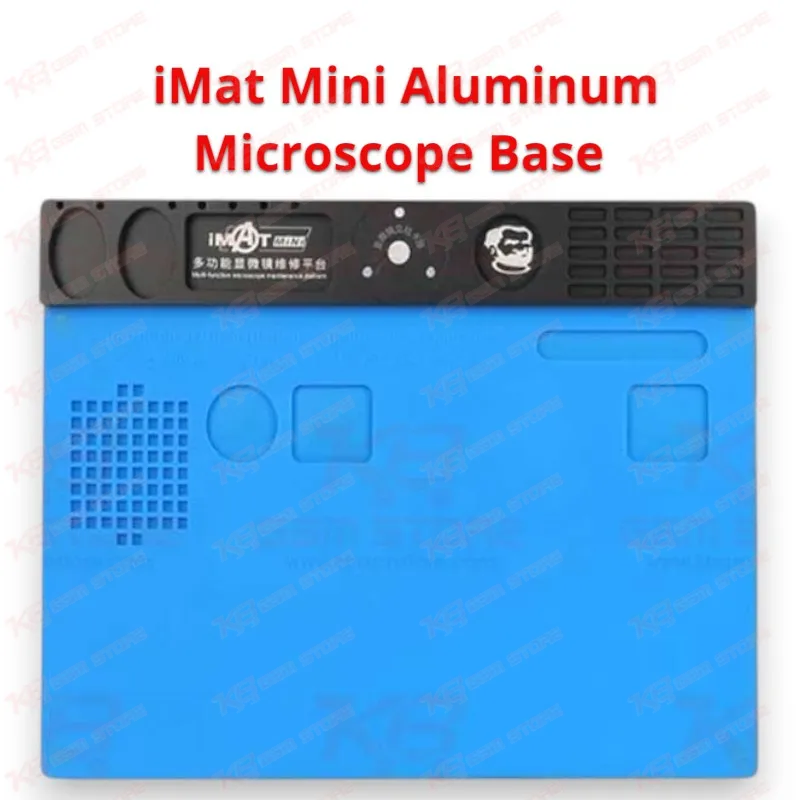
Mechanic iMat Mini Aluminum Microscope Base
Mechanic iMat Mini Aluminum Microscope Base
Regular price
Rs.9,000.00 PKR
Regular price
Sale price
Rs.9,000.00 PKR
Shipping calculated at checkout.
Quantity
Couldn't load pickup availability
The Mechanic iMat Mini Aluminum Microscope Base gives your repair bench a solid, heat-proof platform right under the microscope lens. Its aluminum alloy body pulls heat away fast, and the removable high-temperature silicone pad handles hot air and soldering iron contact up to 500°C without melting or warping. You get a 330 × 245 mm work area, a dedicated screw holding zone so tiny frame screws stop disappearing, and a scale-marked edge for quick board alignment. For Pakistani technicians handling dead phones, IC changes, and jumper work every day, this base keeps each logic board job clean, stable, and organized under magnification.
⚖️ Weight: 3.0 kg
SKU:MST-MICROSCOPES-139
- Safe & Secure Payment
- Fast Delivery
- WhatsApp Support


Description
FAQ
What is the product name?
The product name is Mechanic iMat Mini Aluminum Microscope Base.
What is the brand of this product?
The brand of this product is Mechanic.
What is the model of this product?
The model of this product is iMat Mini.
What is this product used for?
This product is used as a heat-resistant microscope base and work platform for mobile phone motherboard soldering, IC replacement, and rework.
Which devices are compatible with this product?
This product is compatible with mobile phone and tablet logic boards of all brands that fit its 330 × 245 mm work area; it is not device-specific.
Who should use this product?
This product is suitable for mobile repair technicians, repair shops, service centers, and professional users.
What temperature can the Mechanic iMat Mini silicone pad withstand?
The silicone pad on the Mechanic iMat Mini withstands up to 500°C, so it handles hot air station and soldering iron contact during normal rework.
Does the Mechanic iMat Mini include a microscope or tools?
No. The package contains only the aluminum alloy pad with its silicone mat; you need to buy the microscope, PCB holders, and tools separately.
Can I remove the silicone pad for cleaning?
Yes. The silicone pad lifts off the aluminum base, so you can clean flux residue and solder balls and then refit it.