


Brand:
MECHANIC
Mechanic M6 Arm Microscope Stand
Mechanic M6 Arm Microscope Stand
Regular price
Rs.8,000.00 PKR
Regular price
Sale price
Rs.8,000.00 PKR
Shipping calculated at checkout.
Quantity
Couldn't load pickup availability
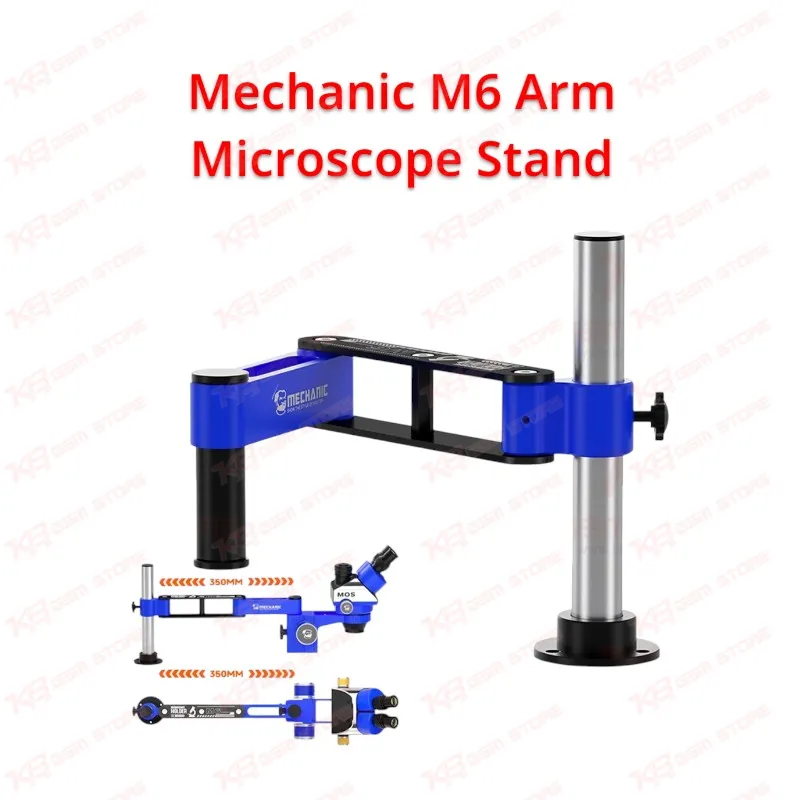
Mechanic M6 Arm Microscope Stand turns your fixed microscope into a flexible swing-arm setup built for board-level mobile repair. The dual-positioning arm rotates a full 360 degrees, reaches 350 mm, and locks firmly with a dual-locking mechanism, so you swing the optics over the PCB, inspect, and move them aside for hot air or soldering without touching the board. Anti-slip damping keeps the image steady during jumper work and IC change jobs, while the 10 kg load rating handles trinocular heads with a camera and light mounted. The foldable 405 × 295 mm design frees up valuable space on crowded Pakistani repair benches.
⚖️ Weight: 2.0 kg
SKU:MST-MICROSCOPES-48
- Safe & Secure Payment
- Fast Delivery
- WhatsApp Support


Description
FAQ
What is the product name?
The product name is Mechanic M6 Arm Microscope Stand.
What is the brand of this product?
The brand of this product is Mechanic.
What is the model of this product?
The model of this product is M6.
What is this product used for?
This product is used for holding and positioning a repair microscope on a 360° swing arm for PCB inspection, soldering, and board-level mobile repair.
Which devices are compatible with this product?
This product is compatible with stereo, binocular, and trinocular repair microscopes within its 10 kg load capacity.
Who should use this product?
This product is suitable for mobile repair technicians, repair shops, service centers, and professional users.
How much weight can the Mechanic M6 swing arm hold?
The M6 carries up to 10 kg, which covers a microscope head with a camera, ring light, and auxiliary lens mounted together.
How far does the Mechanic M6 arm reach, and does it rotate fully?
The arm offers a 350 mm swing range and rotates a full 360° on a dual-hinge tube, with a dual-locking mechanism to fix it at any angle.