


Brand:
QIANLI
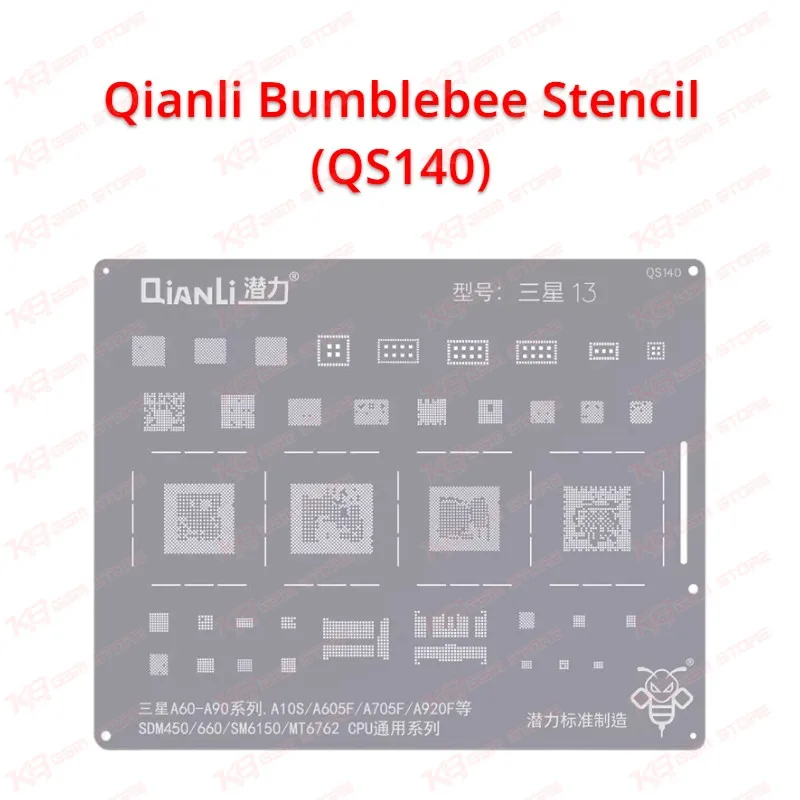
Qianli Bumblebee Stencil (QS140)
Qianli Bumblebee Stencil (QS140)
Regular price
Rs.1.00 PKR
Regular price
Sale price
Rs.1.00 PKR
Shipping calculated at checkout.
Quantity
Couldn't load pickup availability
The Qianli Bumblebee Stencil (QS140) gives you a ready pattern for reballing the CPU on Samsung A60 to A90 series boards, plus the A10s. One thin steel sheet covers SDM450, SDM660, SM6150, and MT6762 processors, so you stop hunting for separate stencils on a busy repair day. Square holes with rounded corners help your solder balls settle round and full, and the flexible high-temperature steel holds its shape under hot air. If you handle dead phone, boot loop issue, or hang on logo jobs caused by weak CPU joints, this stencil belongs on your repair bench. Order it from KB GSM Store and finish your reball job cleanly.
SKU:MST-SOLDERING-TOOLS-671
⚖️ Weight: 0.1 kg
- Safe & Secure Payment
- Fast Delivery
- WhatsApp Support


Description
FAQ
What is the product name?
The product name is Qianli Bumblebee Stencil (QS140).
What is the brand of this product?
The brand of this product is Qianli.
What is the model of this product?
The model of this product is QS140.
What is this product used for?
You use this product to reball the CPU on supported Samsung boards with a clean, even solder ball pattern.
Which devices are compatible with this product?
This product is compatible with the Samsung Galaxy A10s (SM-A107F), A6 Plus (SM-A605F), A70 (SM-A705F), and A9 (SM-A920F), and with SDM450, SDM660, SM6150, and MT6762 CPUs.
Who should use this product?
This product is suitable for mobile repair technicians, repair shops, service centers, and professional users.
Which chipsets does the QS140 stencil support?
It supports the CPU pattern for SDM450, SDM660, SM6150, and MT6762 processors.
Does the QS140 fit every Samsung A-series phone?
No. It fits boards whose CPU matches the supported chipsets, so check your CPU pads under a microscope before you reball.