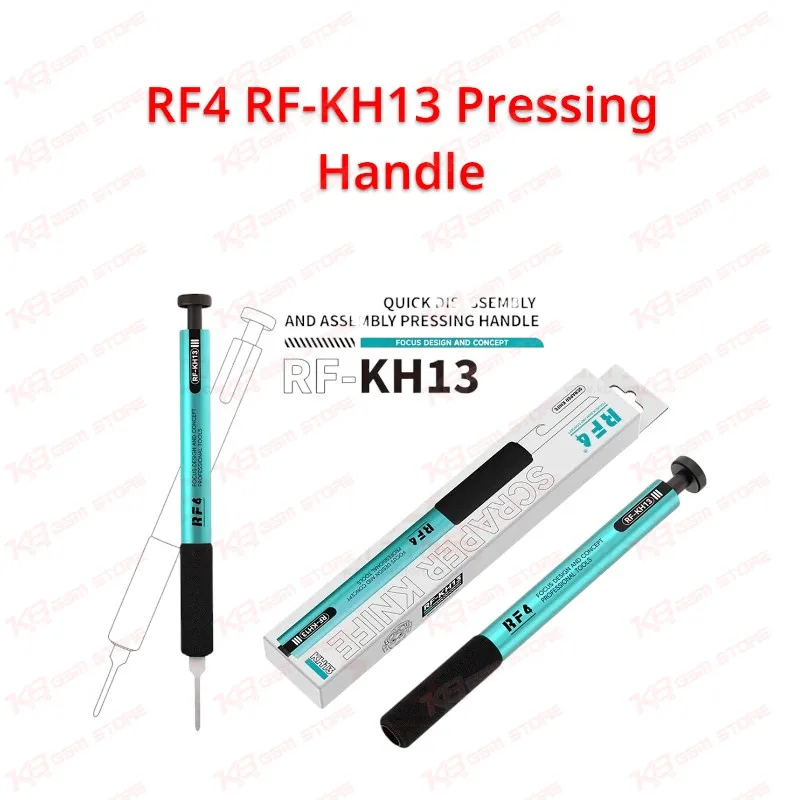
Every GSM technician knows the frustration of a handle that won't hold a blade steady halfway through a screen separation job, and that is exactly the gap the RF4 RF-KH13 Pressing Handle closes on your repair bench. Instead of fumbling with screws or clips to change a blade between tasks, you press the button once and the clamp releases instantly, letting you drop in a fresh blade and lock it back down in about a second — a small detail that adds up across a full day of dead phone repairs, screen jobs, and board-level work. The locking mechanism holds the knife tip firmly once it clicks into place, so you get a stable, predictable edge whether you are scraping old solder off a PCB pad, prying open a stubborn back casing, or working the frame loose around a cracked display. Pakistani repair shops handling high volumes of screen problem cases, charging issue units, and hardware fault diagnostics benefit from a tool that shortens the disassembly step without adding fumbling or wasted motion to the workflow. The handle body uses a metal construction that stands up to daily press-and-release cycles without loosening or wearing out the clamp, and an anti-slip cotton sleeve wraps the grip zone so your hand stays comfortable even during back-to-back disassembly jobs — a feature technicians who spend hours opening casings and separating panels will notice immediately, since fatigue on a long bench day directly affects how clean your prying and scraping work turns out. The clamping jaw itself adjusts to hold blades of different thicknesses, which means the RF4 RF-KH13 Pressing Handle is not locked to a single blade type; it works with RF4's own RF-KH13A blade set as well as compatible third-party blades used for adhesive cutting, glue removal, and IC-area prying, giving you flexibility instead of forcing you to buy a new handle for every blade style in your kit. Within the broader mobile repair workflow, this handle sits at the diagnostics-to-disassembly stage — the step before you ever reach for a hot air station, soldering iron, or programmer box, because you first need clean, damage-free access to the board or screen. Whether you are separating an OLED panel without cracking the digitizer, cleaning old solder paste off a stencil area before reballing, or prying a battery connector housing loose without bending the frame, a handle that locks the blade securely reduces the risk of slips that damage flex cables, connectors, or surrounding components — mistakes that cost far more than the tool itself. Repair shop owners running multiple technicians on the same bench also gain from a design this simple: no tools required to change blades, no loose screws to lose, and a mechanism robust enough to survive repeated daily use across screen problem repairs, board cleaning, and casing disassembly. For technicians who deal with dead after flash units, display problem cases, or general teardown work every day, having a dedicated pressing handle rather than an improvised blade or screwdriver tip means cleaner cuts, safer prying, and less accidental damage to the board underneath. The RF4 RF-KH13 Pressing Handle fits naturally alongside your ISP pinout tools, hot air stations, and PCB holders as part of a complete repair station setup, filling the specific role of controlled, repeatable blade work that keeps your disassembly process fast and predictable across every job that comes across your bench.