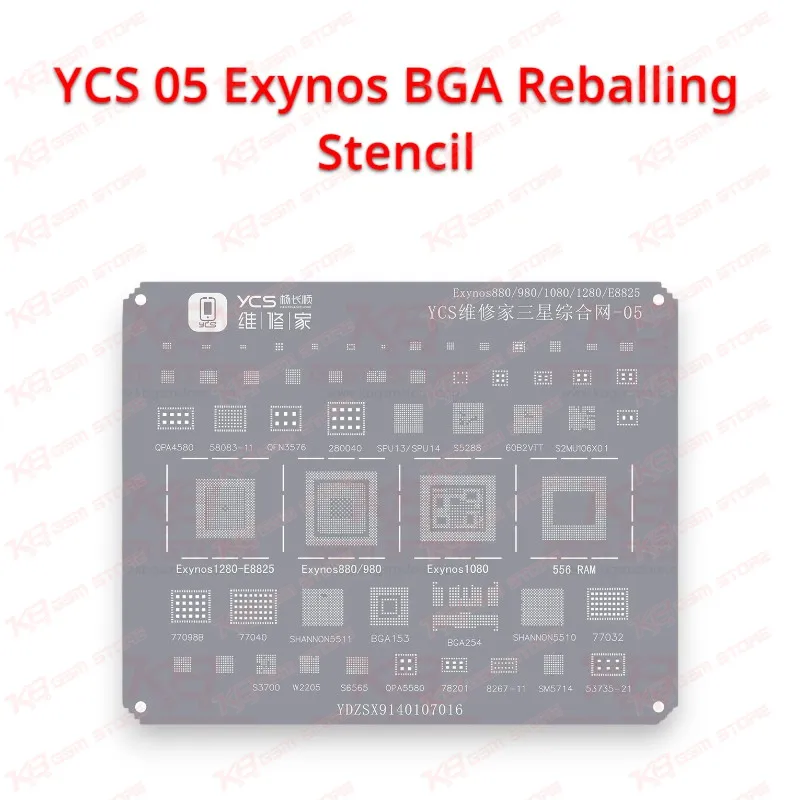
Every technician who handles Samsung boards knows the moment: the phone comes in dead, the current draw on the DC power supply looks wrong, and the fault traces back to the Exynos CPU itself. The YCS 05 Exynos BGA Reballing Stencil gives you the template you need to rebuild the solder balls on that processor so you can seat it back on the board with full contact across every pad. A Samsung handset that drops into a boot loop issue after a fall, gets stuck as a hang on logo case, or arrives dead after water damage often points to cracked or weakened solder joints under the CPU, and a simple reflow rarely fixes those for good. Reballing replaces every joint with fresh solder, and the stencil decides whether those new balls land in the right place at the right height. The YCS 05 belongs to an Exynos-specific stencil series, so you match the chip marking and ball layout to the correct window on the plate before you start, which keeps the guesswork off your repair bench. Your workflow starts with the hot air station: you lift the CPU at a controlled temperature, then clean both the chip and the board pads with flux and a fine desoldering wick until every pad shows a flat, bright surface. Leftover underfill glue needs careful removal at this stage, because a single raised spot stops the stencil from sitting flat against the chip. Next, you align the CPU under the matching window, lock it in a reballing holder or secure it with heat-resistant tape, and spread solder paste across the openings with a flat scraper in one or two firm passes. A light, even layer fills each hole without bridging into the next one. You then apply hot air from above in slow circles until the paste melts and pulls itself into round, shiny balls, let the assembly cool, and separate the chip from the plate. A quick check under a microscope shows you whether any ball came out undersized, merged, or missing, and you correct those individually before the chip goes back on the board. During installation, you coat the board pads with a thin layer of flux, align the chip with the silkscreen outline, and heat until it self-centers on the pads. After soldering, check the main voltage lines with a multimeter and connect the phone to a DC power supply to confirm normal current behavior before you close the back. This stencil sits in the BGA rework category alongside solder paste, flux, desoldering wick, and PCB holders, and it works best with a temperature-controlled hot air station and a stereo microscope. If you run reballing jobs daily, a magnetic reballing platform makes a sensible upgrade because it holds the chip and stencil in register while you scrape and heat. Shop owners in Lahore, Karachi, and Islamabad who open Samsung Exynos boards regularly see CPU-related faults, and keeping the right Exynos stencil on the shelf turns a board you would have returned as a hardware fault into a repair you can bill. Look after the stencil after every job: wipe off flux residue with isopropyl alcohol and a soft brush, store it flat so the plate never bends, and avoid sharp metal tools that can scratch the openings. A bent or dirty stencil produces uneven balls, and uneven balls bring the phone back to your counter a week later with the same complaint. You can reach for it on a board that shows dead after flash symptoms tied to a lifted CPU, on network issue or charging issue complaints where your diagnosis points to poor CPU contact, and on jobs where you transfer a CPU from a donor board. For any technician working on Samsung Exynos boards, the YCS 05 Exynos BGA Reballing Stencil is a small tool that decides the quality of a big repair, and KB GSM Store keeps it in stock for workshops across Pakistan.