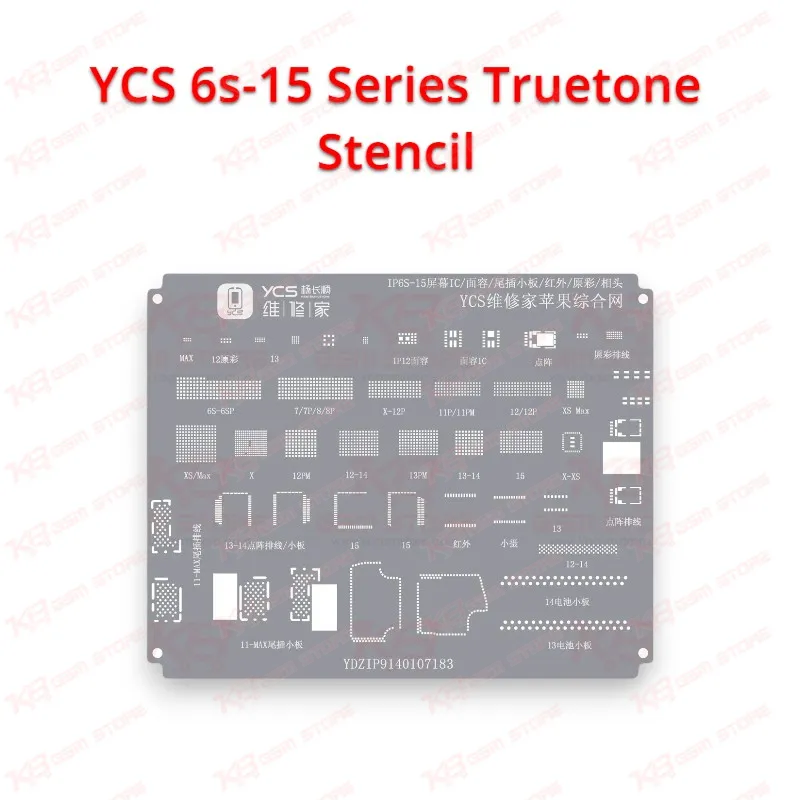
The YCS 6s-15 Series Truetone Stencil gives your repair bench a dedicated reballing template for the small light sensor chips that control auto-brightness and True Tone on Apple iPhones from the 6s generation up to the iPhone 15 series. Shop owners across Pakistan see the same complaint every week: a customer comes back after a screen or earpiece flex replacement and says the display no longer adjusts its colour warmth, or auto-brightness stopped working. On iPhone X and newer models, Apple pairs the ambient light sensor on the front flex with the logic board, so a generic replacement flex leaves True Tone dead. The cleanest hardware fix is a chip transfer, where you lift the original sensor IC from the damaged flex and seat it on the new one, and that transfer only works when you rebuild the tiny solder balls under the chip with proper alignment. This stencil handles exactly that step. Instead of balancing a universal stencil over a chip the size of a rice grain and hoping the paste lands on every pad, you place the sensor in its matching aperture, spread paste across the opening, scrape off the excess, and apply controlled heat. You get even ball height on every pad, which matters on a chip this small because one short or one dry joint brings the fault straight back to your counter. Before you start, remove the chip from the original flex with gentle preheat and low airflow on your hot air station, because the flex material and the sensor window both suffer under aggressive heat. Clean the old solder from the chip pads with fine wick and flux until the surface looks flat and bright, then wipe it with isopropyl alcohol. Align the chip under the correct opening of the YCS 6s-15 Series Truetone Stencil, hold it steady with fine tweezers or a holder, and work low-temperature solder paste into the aperture. Many technicians prefer low-melt paste for this job because the flex underneath cannot tolerate long dwell times at high temperature. Heat the stencil until the paste forms shiny balls, let it cool fully, and release the chip with a light push from the back. Inspect it under your microscope before you place it on the new flex, since uneven balls are far easier to correct at this stage than after mounting. Because one stencil covers a wide generation range, you avoid stocking a separate template for every model that walks into your shop. That suits Pakistani repair counters where an iPhone 8 Plus, an XR, a 12 Pro, and a 14 Pro Max can all arrive in the same afternoon. The stencil fits naturally alongside the rest of your iPhone rework kit: a temperature-controlled hot air station, a fine-tip soldering station, a stereo microscope, quality flux, and a PCB holder that keeps the flex flat while you work. If you handle a high volume of True Tone jobs, pair this stencil with a True Tone programmer from our programmer range, which restores display True Tone data after a screen swap, so you can offer both the hardware chip transfer and the data-side repair from the same bench. Look after the stencil and it serves you through many jobs. Clean the apertures with alcohol and a soft brush after each session so dried flux does not block the openings, store it flat inside its pouch or a stencil book so the thin sheet does not bend, and never scrape with a sharp blade that could deform the aperture edges. A bent stencil lifts away from the chip during heating, and that is a common reason for merged or missing balls. Keep a separate stencil for sensor work instead of sharing one with CPU or NAND reballing, because heavy chip work tends to warp sheets faster. For technicians who want reliable True Tone and auto-brightness repairs without guesswork, the YCS 6s-15 Series Truetone Stencil price in Pakistan makes it an easy addition. It turns a delicate chip transfer into a repeatable process, cuts rework, and lets your shop return the phone with every display feature working the way the customer expects.