


Brand:
YCS
YCS-D01 Charging Boot DC Power Detection Cable
YCS-D01 Charging Boot DC Power Detection Cable
Regular price
Rs.2,200.00 PKR
Regular price
Sale price
Rs.2,200.00 PKR
Shipping calculated at checkout.
Quantity
Couldn't load pickup availability
YCS-D01 Battery-Free Boot Cable for iPhone Board Diagnosis
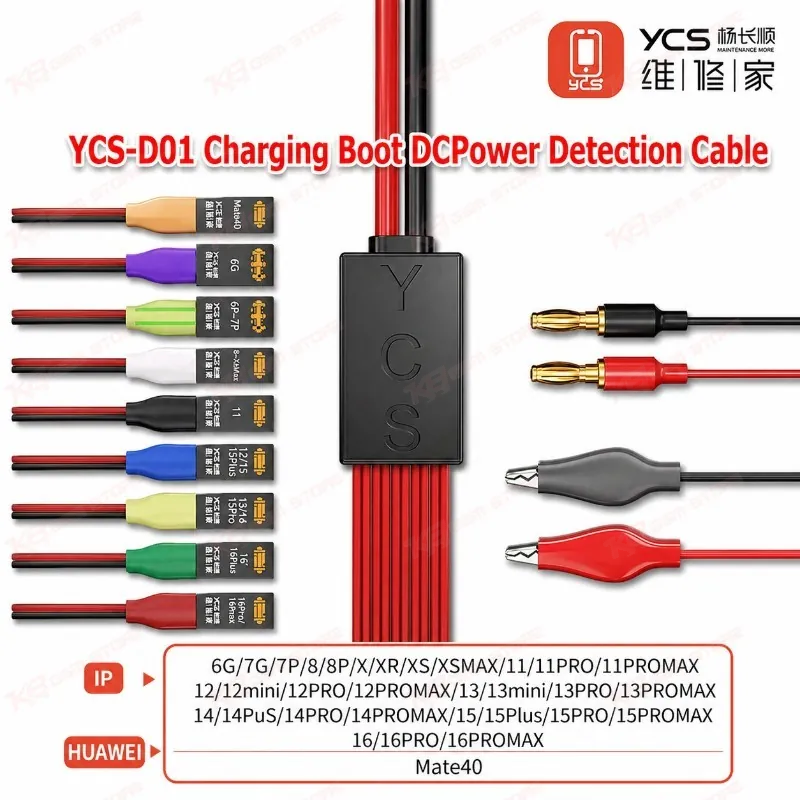
The YCS-D01 Charging Boot DC Power Detection Cable lets you power and boot iPhone 6 to iPhone 16 Pro Max motherboards straight from your DC power supply, with no battery fitted. A precise, firm battery socket buckle locks onto the board connector, so you read stable current on the ammeter and spot shorts, dead phone faults, boot loop issues, and charging problems fast. Flexible anti-bend wire, separated conductors, and firm solder joints keep the cable safe and durable on a busy repair bench. It is a practical, low-cost diagnosis tool for every iPhone repair shop in Pakistan.
SKU:MST-SOLDERING-TOOLS-821
⚖️ Weight: 0.15 kg
- Safe & Secure Payment
- Fast Delivery
- WhatsApp Support


Description
FAQ
What is the product name?
The product name is YCS-D01 Charging Boot DC Power Detection Cable.
What is the brand of this product?
The brand of this product is YCS.
What is the model of this product?
The model of this product is D01.
What is this product used for?
This product is used for booting iPhone motherboards without a battery from a DC power supply to test current draw, power-on behaviour, and charging circuits.
Which devices are compatible with this product?
This product is compatible with iPhone 6 through iPhone 16 Pro Max and the Huawei Mate40.
Who should use this product?
This product is suitable for mobile repair technicians, repair shops, service centers, and professional users.
What voltage should I set on my DC power supply with the YCS-D01?
Most technicians set the supply close to the iPhone’s nominal battery voltage, typically around 3.8V to 4.2V, with a current limit in place, then raise the limit only after confirming the board shows no short.
Does the YCS-D01 work on Samsung, Xiaomi, and other Android boards?
The D01 targets iPhone 6 to iPhone 16 Pro Max and the Huawei Mate40. For Android motherboards, YCS offers the D02 version, and the YCS D03 16-in-1 cable covers both iPhone and many Android connectors.