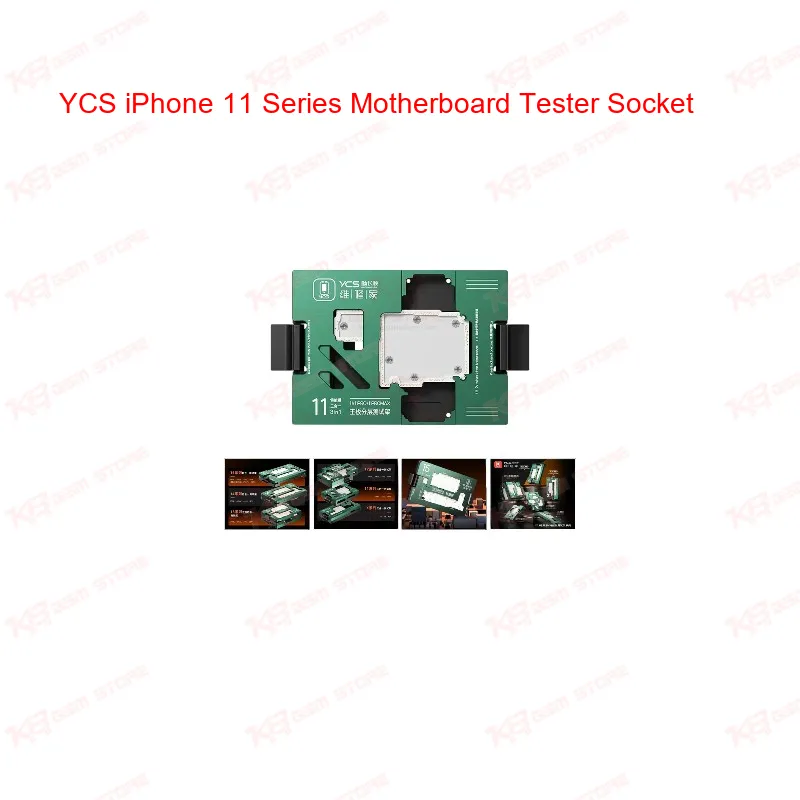
When an iPhone 11 board comes to your bench dead or acting up, the first real question is whether the fault sits in the layers you already separated or somewhere else entirely. That's exactly the job of the YCS iPhone 11 Series Motherboard Tester Socket. This 3-in-1 iSocket fixture covers iPhone 11, 11 Pro, and 11 Pro Max, letting you seat a separated or layered motherboard and run a functional check without soldering a single wire back on. The core of the fixture is its probe system. YCS uses imported beryllium copper spring probes, chosen for their conductivity and resistance to overload, so the readings you get stay accurate instead of drifting after repeated use. Each probe carries a conical tip, a design choice that keeps rosin and solder residue from building up on the contact point. On a workshop bench where boards go through flux and reflow constantly, that detail directly affects how long your fixture keeps giving you clean, trustworthy data instead of false negatives from a dirty probe. Alignment is where a lot of cheaper test sockets fall apart. The YCS iSocket uses dual-ended probes that line up precisely with the board's test holes, and a snap-on mechanism that holds the motherboard flat against the probe bed. That flatness matters more than it sounds — a board that sits even slightly uneven can throw off contact on one or two pins and make a working board look faulty. With the board locked flat, you get consistent contact across the full test, which is what separates a real diagnostic tool from a rough jig. Body construction is an emerald-colored aluminum alloy case with a quick-release design. On a repair bench where you're testing one board after another, that quick-release matters — you're not fighting screws or clips between every unit. Open the clamp, seat the board, close it, run your test, and move to the next unit. It's built around actual repair shop throughput, not just a single occasional test. In terms of where this fits in your workflow, the iSocket comes in after board separation and before reassembly. If a phone came in as a dead phone or with a boot loop issue, and you've already separated the layers to isolate a suspect IC or trace, this socket lets you power up the middle layer independently and confirm whether it's functioning before you commit to further IC change or jumper lagana work. It also earns its place after reballing or IC replacement, since you can verify the board actually boots and holds function before you reassemble the full stack and hand the phone back to the customer. That single checkpoint saves you from reassembling a phone twice because a fault was missed. For a shop handling volume on the iPhone 11 series specifically, this kind of dedicated fixture beats generic test rigs because the pinout and clamp geometry are matched to these exact board models — you're not improvising alignment or risking a probe landing on the wrong pad. It's a practical, bench-level tool: no software, no calibration routine, just a reliable way to confirm board function at the exact stage in your repair where guessing costs you the most time. If your bench already runs other iSocket fixtures for the X series or 12 series, adding the 11 series unit keeps your testing process consistent across a wider range of boards coming through the shop, which is where a tool like this pays for itself over repeated jobs rather than a single repair.