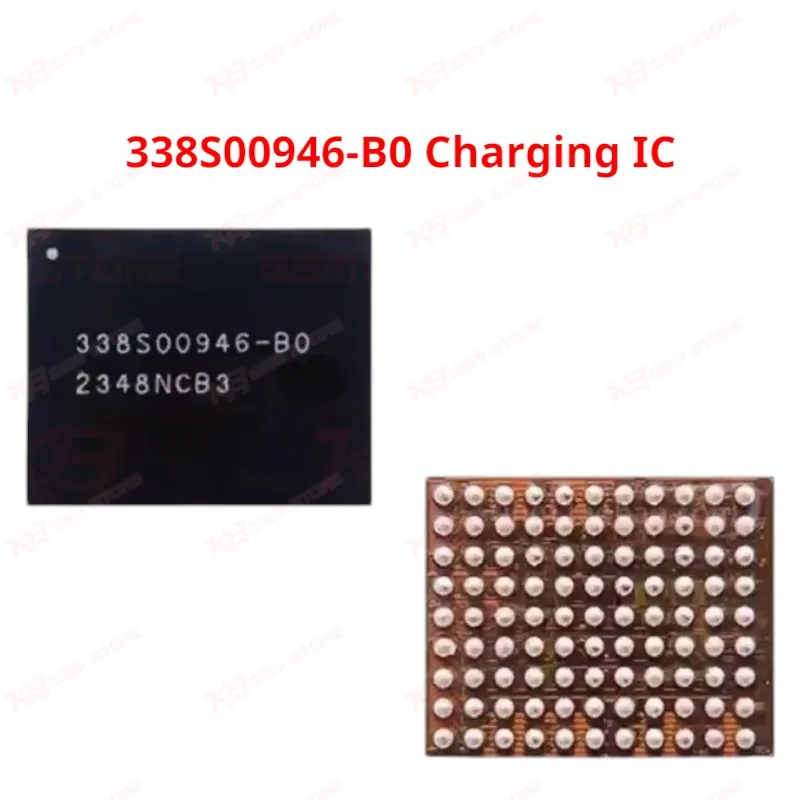
The 338S00946-B0 sits at the center of the charging architecture on every iPhone 15 series device. Apple markets don't sell this chip publicly, so it circulates through the repair industry as the "Tigris" IC — a name technicians use because of its role controlling power delivery and communicating with the battery management system on the logic board. You'll typically diagnose a failed 338S00946-B0 when a customer's phone shows dead after flash symptoms even though the software update completed correctly, or when the phone charges only sporadically with the battery icon jumping between percentages. Some units stop charging beyond 80% and never reach full capacity no matter how long you leave them plugged in. Physical damage — a drop, bend, or liquid exposure — often triggers this failure because the IC sits close to the charging port flex connector and takes stress directly from the board. Before you commit to swapping this IC, run a proper diagnostic first. Check the charging port flex cable, inspect the battery connector, and test with a known-good cable and adapter. If the phone still won't charge or shows hardware fault symptoms specific to power delivery, a board-level inspection under your microscope will usually confirm whether the 338S00946-B0 itself has failed or whether a supporting component around it is shorted. Removing and reballing this IC demands precision. Set your hot air station to a controlled temperature profile, use proper flux, and avoid overheating the surrounding pads — the logic board on the iPhone 15 series is densely populated, and heat spreads fast if you're not careful with your nozzle size and airflow. Preheat the board from underneath before you lift the chip, and always inspect the pads for lifted traces before reballing and reflowing the replacement IC. A stencil matched to this chip's ball layout makes the reballing step far more consistent than manual balling. Once you seat the new 338S00946-B0 and reflow it, test charging behavior immediately — plug in and confirm the phone registers charging current, then run it through a full charge cycle to verify it holds past 80% without dropping out. If the phone still won't power on or shows a hang on logo issue after the swap, recheck your solder joints under the microscope before assuming a second component has failed. This IC works only as a board-level, BGA soldering job — it isn't a plug-and-play part, and it isn't something a technician without reflow experience should attempt on a customer's device. Stock genuine 338S00946-B0 chips on your bench so you're not waiting on a supplier when a charging repair walks through your door, and your workshop can turn around iPhone 15 series charging issues without sending the board out. For technicians running a busy repair shop or service center handling regular iPhone 15 traffic, keeping verified Tigris ICs on hand cuts your turnaround time and protects your reputation for reliable board-level work.