


GX J4-J6-J8 Charger IC
GX J4-J6-J8 Charger IC
Regular price
Rs.300.00 PKR
Regular price
Sale price
Rs.300.00 PKR
Shipping calculated at checkout.
Quantity
Couldn't load pickup availability
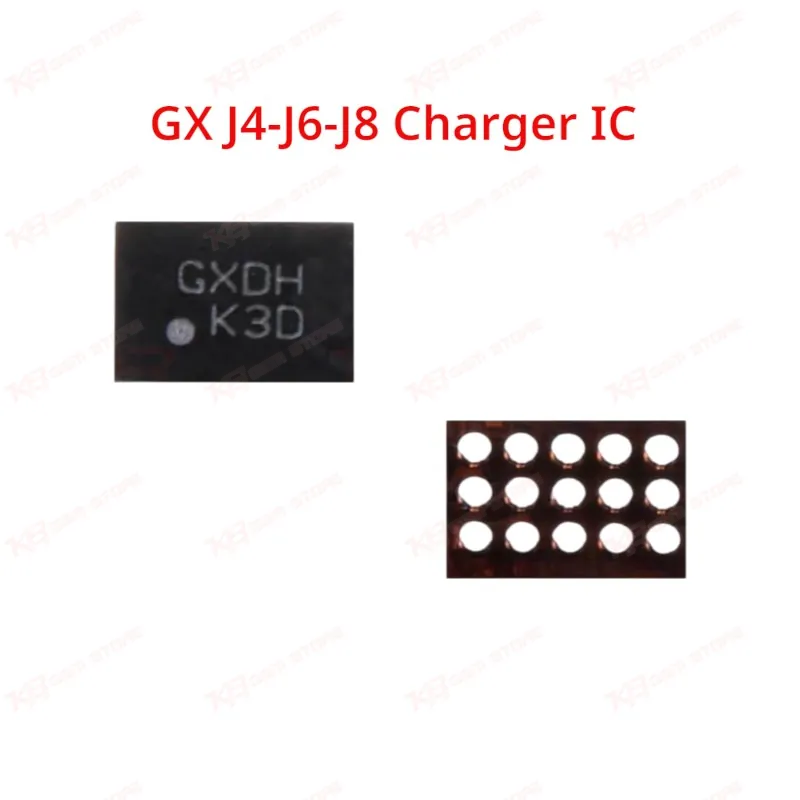
The GX GXDH charging IC is a 15-pin replacement chip built for Samsung Galaxy J4 (J400), J6 (J600), and J8 (J810) motherboards. Technicians reach for this IC when a board shows dead charging, slow charging, or no charging response after ruling out the charging port and battery. Marked GXB, GXBT, or GXDH depending on batch, it drops into the original charging IC footprint without rework of surrounding traces. A compact, low-cost part for any GSM repair bench stocking common J-series faults.
⚖️ Weight: 0.01 kg
SKU:MST-IC-188
- Safe & Secure Payment
- Fast Delivery
- WhatsApp Support


Description
FAQ
What is the product name?
The product name is GX GXDH Charging IC for Samsung J4, J6, J8.
What is the brand of this product?
The brand of this product is GX.
What is the model of this product?
The model is GXDH, also found marked as GXB or GXBT.
What is this product used for?
This product is used for board-level charging IC replacement on Samsung J4, J6, and J8 motherboards.
Which devices are compatible with this product?
This product is compatible with Samsung Galaxy J4 (SM-J400), Galaxy J6 (SM-J600), and Galaxy J8 (SM-J810).
Who should use this product?
This product is suitable for mobile repair technicians, repair shops, service centers, and professional users.
Does the GXB, GXBT, and GXDH marking affect which phone the IC fits?
No, all three markings are batch variants of the same GX chip and work across the J4, J6, and J8 pinout — the marking depends on production run, not compatibility.
Will this IC fix a phone that shows charging but doesn't gain battery percentage?
If the charging port and cable test good and current draw is unstable on your power supply, this symptom points to the charging IC, and replacing it resolves this fault on most J4/J6/J8 boards.