


Brand:
JCID
JCID V1SE 12-15 True Tone Repair Adaptor
JCID V1SE 12-15 True Tone Repair Adaptor
Regular price
Rs.7,000.00 PKR
Regular price
Rs.7,500.00 PKR
Sale price
Rs.7,000.00 PKR
Shipping calculated at checkout.
Quantity
Couldn't load pickup availability
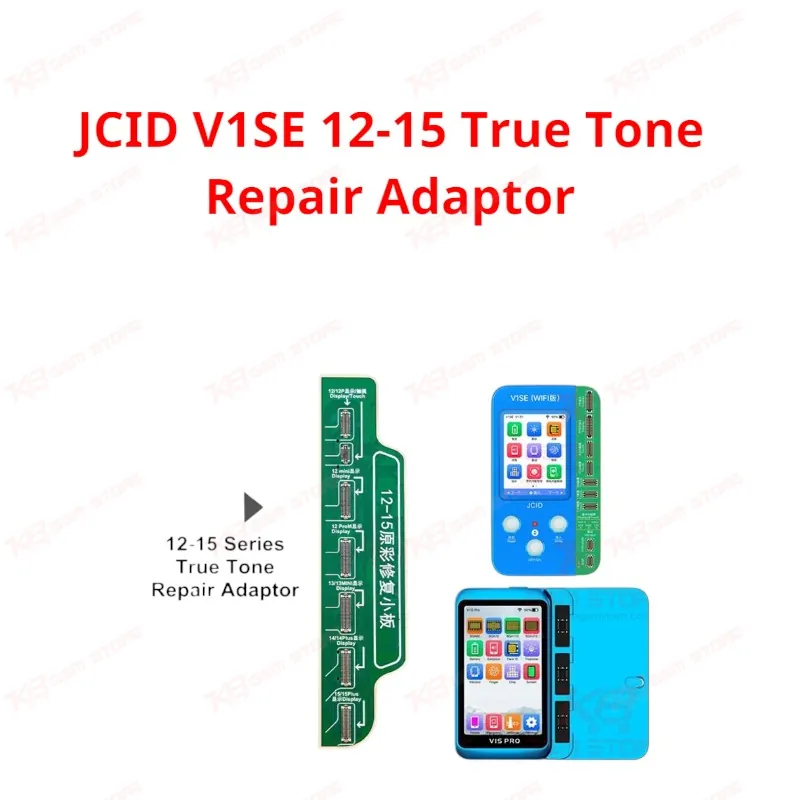
The JCID V1SE 12-15 True Tone Repair Adaptor is the add-on board every GSM technician needs on the bench when a replacement iPhone screen loses True Tone. Plug it into your JCID V1SE or V1S Pro programmer and you read and write touch IC and display IC data for iPhone 12, 12 mini, 12 Pro, 12 Pro Max, 13, 13 mini, 14, 14 Plus, 15, and 15 Plus. It works on original panels and third-party screens from brands like ZY, SL, RJ, GX, and JH, so screen replacement no longer means a permanent True Tone warning on the customer's phone.
SKU:MST-SOLDERING-ACCESSORIES-318
⚖️ Weight: 0.01 kg
- Safe & Secure Payment
- Fast Delivery
- WhatsApp Support


Description
FAQ
What is the product name?
The product name is JCID V1SE 12-15 True Tone Repair Adaptor.
What is the brand of this product?
The brand of this product is JCID.
What is the model of this product?
This is the 12-15 series True Tone repair adaptor board designed for the JCID V1SE and V1S Pro programmer lineup.
What is this product used for?
This product restores the True Tone function on iPhone screens after replacement by reading and writing touch IC or display IC calibration data.
Which devices are compatible with this product?
This product supports iPhone 12, 12 mini, 12 Pro, 12 Pro Max, 13, 13 mini, 14, 14 Plus, 15, and 15 Plus with both original and third-party screens.
Who should use this product?
This product is suitable for mobile repair technicians, repair shops, service centers, and professional users.
Does this adaptor work without the JCID V1SE or V1S Pro programmer?
No, the adaptor is an accessory board and only functions when connected to a JCID V1SE or V1S Pro programmer.
Can this adaptor fix True Tone on a third-party screen with zero writing times left?
The adaptor writes calibration data based on the IC's remaining write cycles; if the display IC has already exhausted its write limit, repeated attempts risk damaging the screen instead of fixing True Tone.