Skip to product information
1 of 4

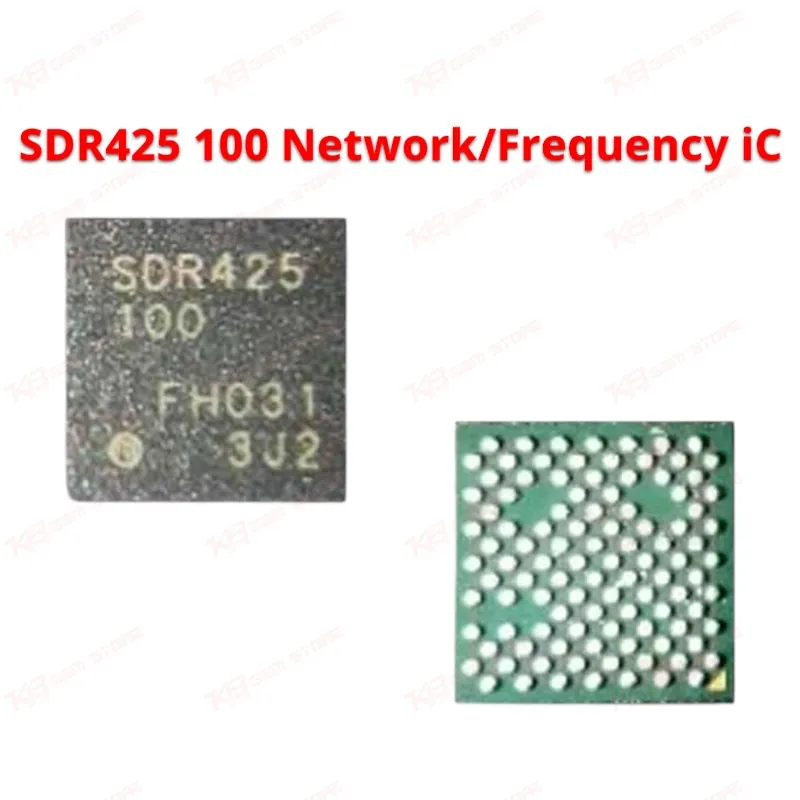
SDR425 100 Network/Frequency iC

SDR425 100 Network/Frequency iC

Regular price Rs.200.00 PKR
Regular price Sale price Rs.200.00 PKR
Sale Sold out
Shipping calculated at checkout.
Quantity

The SDR425-100 is an intermediate frequency and baseband IC used to resolve no signal and no service faults on supported Vivo, Oppo, and Huawei devices. Technicians reach for this IC when a phone shows no network bars, drops signal randomly, or fails to register on any carrier after a software check rules out a flashing issue. It handles the RF signal processing between the baseband and antenna circuit, so a faulty unit directly causes network dropouts. This part is commonly stocked by GSM repair shops in Lahore, Karachi, and Islamabad for board-level network repair jobs where reballing or a straight IC change resolves the fault permanently.

⚖️ Weight: 0.01 kg

SKU:MST-IC-148

  • Safe & Secure Payment
  • Fast Delivery
  • WhatsApp Support
View full details

Description

When a customer walks into your shop with a phone that shows no signal, no service, or a SIM that won't register on any network, the SDR425-100 is one of the first components a network-repair technician checks. This is an intermediate frequency (IF) IC, also referred to in the trade as a baseband or RF IC, sitting between the modem and the RF front end. Its job is to process the intermediate frequency signal path that keeps the device talking to the cellular network. When it fails, softwar marna won't fix the problem, because the fault sits at the hardware level, not the firmware level.You'll see this IC most often on Huawei Glory V30 Pro, Vivo Y20i, and Oppo A53 boards, where it's a known point of failure for no signal and no service complaints. On these models, technicians commonly report that after ruling out antenna connector damage, SIM tray corrosion, and a bad flash, the network fault traces straight back to this chip. Liquid damage, board-level shorts, and even repeated drops can degrade the IC's internal circuitry to the point where it stops passing signal correctly, even though the rest of the board tests fine on a multimeter.Diagnosing a network IC fault properly saves you rework later. Start with a visual inspection under your microscope for corrosion, lifted pads, or burn marks around the IC footprint. Check the antenna connector and RF cable first since a damaged connector mimics the same no-signal symptom and is a five-minute fix instead of a reball job. Once you've confirmed the fault sits with the IC itself, cover the surrounding components with heat-resistant tape, apply flux, and use your hot air station to remove the faulty chip without disturbing neighboring parts. Keep your hot air temperature controlled and avoid excessive heat exposure to the board, since overheating a multi-layer PCB damages traces underneath the IC pad and turns a straightforward IC change into a board recovery job.After removal, clean the pads thoroughly before reballing and placing the new SDR425-100. Precise placement matters here because a misaligned IC on reflow either won't make contact with all pads or bridges adjacent pins, both of which reintroduce the same no-service symptom you were trying to fix. A stencil designed for this chip's ball pattern helps you get consistent reballing results, especially when you're running several of these jobs a week.This is a common repair for shops that specialize in network and signal issues, alongside eMMC, power, and charging IC repairs. Stocking the SDR425-100 alongside your other network ICs — WTR, SKY 77-series, and related RF chips — means you're not waiting on a supplier mid-repair when a customer is standing at your counter. For service centers handling volume network repairs across Vivo, Oppo, and Huawei devices, keeping this part on your bench reduces turnaround time and keeps repeat network-fault jobs moving without delays.Pair this IC replacement with a proper hot air rework station and a fine-tip soldering iron for pad cleanup, and confirm the repair with a signal test on a live SIM before handing the device back to the customer. A quick network registration check after reflow catches placement issues before the customer leaves your shop, saving you a comeback repair.

Key Features

Resolves no signal and no service faults on supported models

Functions as the intermediate frequency signal path component

Direct replacement for the original faulty IC

Suitable for board-level reballing and hot air rework

Commonly used alongside RF and network diagnostic checks

Compact IC footprint suited for BGA rework tools

Stocked for high-frequency network repair jobs

Reliable choice for repeat network-fault repairs

Specifications

Brand Entity SDR
Product Entity SDR425-100 Network/Frequency IC
Technology Entity Intermediate Frequency (IF) / Baseband Signal Processing
Compatible Device Entities Huawei Glory V30 Pro, Vivo Y20i, Oppo A53
Repair Process Entity BGA Reballing, Hot Air Rework, Network Fault Diagnosis
Industry Entity Mobile Phone Repair, GSM Technician Services

Compatible Devices

Huawei Glory V30 Pro, Vivo Y20i, Oppo A53

Common Repair Uses

No signal repair, no service/network registration fault repair, baseband/IF signal path replacement, board-level network IC reballing

FAQ

What is the product name?
The product name is SDR425-100 Network/Frequency IC.
What is the brand of this product?
The brand of this product is SDR.
What is the model of this product?
The model of this product is SDR425-100.
What is this product used for?
This product is used to repair no signal and no service network faults at the board level.
Which devices are compatible with this product?
This product is compatible with Huawei Glory V30 Pro, Vivo Y20i, and Oppo A53.
Who should use this product?
This product is suitable for mobile repair technicians, repair shops, service centers, and professional users.
Does the SDR425-100 fix no service issues on Vivo Y20i?
Yes, this IC is a known replacement part for no signal and no service faults on the Vivo Y20i.
Can a bad SDR425-100 cause network dropouts even after a flash?
Yes, since this is a hardware-level fault, network dropouts continue after flashing until the IC is replaced.

Ask any Query